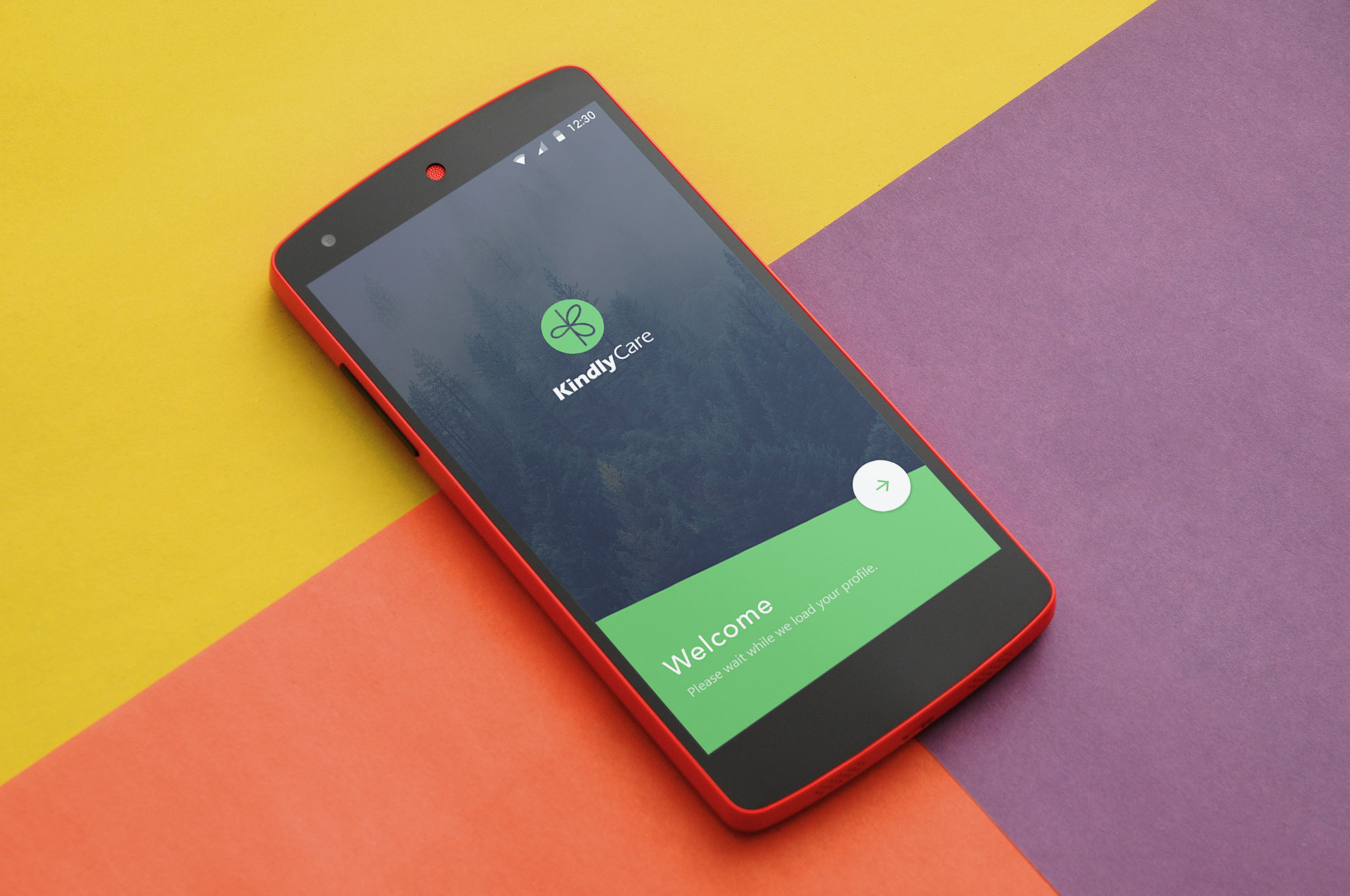
KindlyCare is a San Francisco-based health-tech startup focused on home care. Their platform bridges the communication gap between family members and professional caregivers caring for elderly loved ones. While family members use an app to monitor care and manage billing, caregivers require a specialized tool to coordinate their daily shifts, track care tasks, and submit visit reports. I was brought on to design the dedicated Android mobile experience for caregivers.
How might we empower caregivers with an intuitive mobile tool that simplifies shift management and keeps families informed in real time?
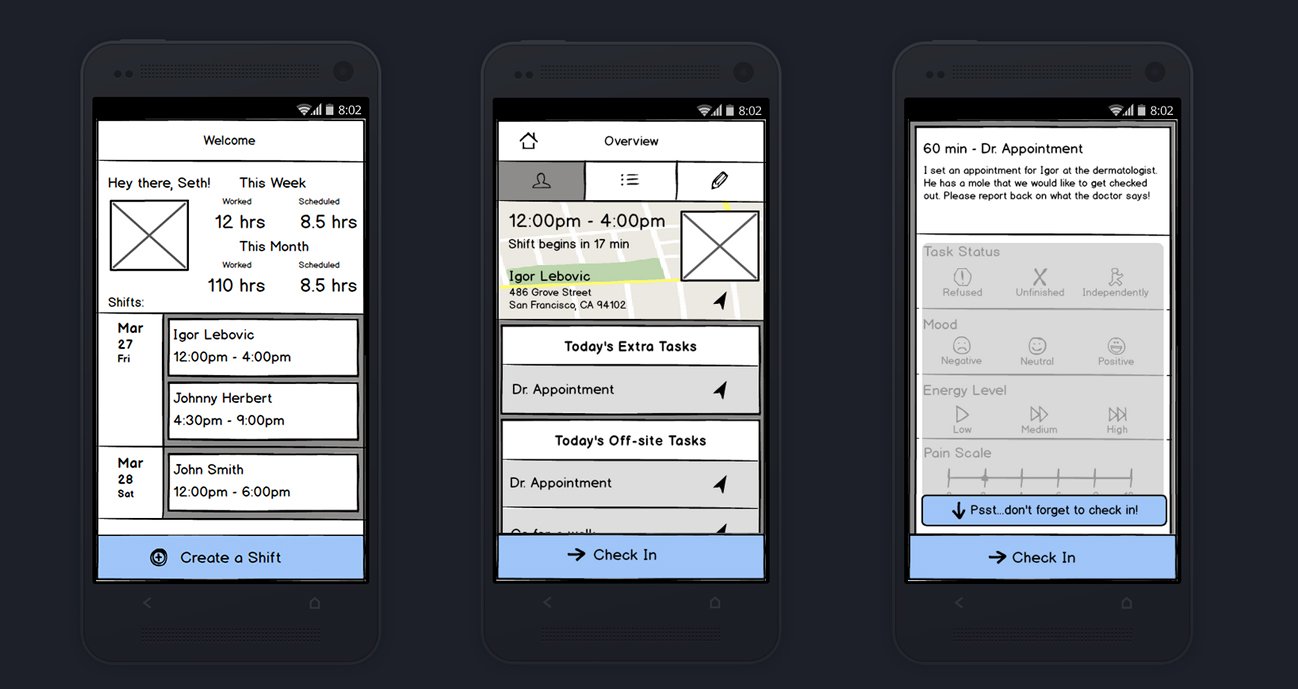
My role encompassed establishing the brand's visual and emotional palette, auditing the broader KindlyCare ecosystem, and defining core user flows. Working from functional requirements, I designed low-fidelity wireframes through to the polished Material UI, focusing heavily on touch ergonomics and clarity during demanding care visits.
Understanding the Ecosystem & Context
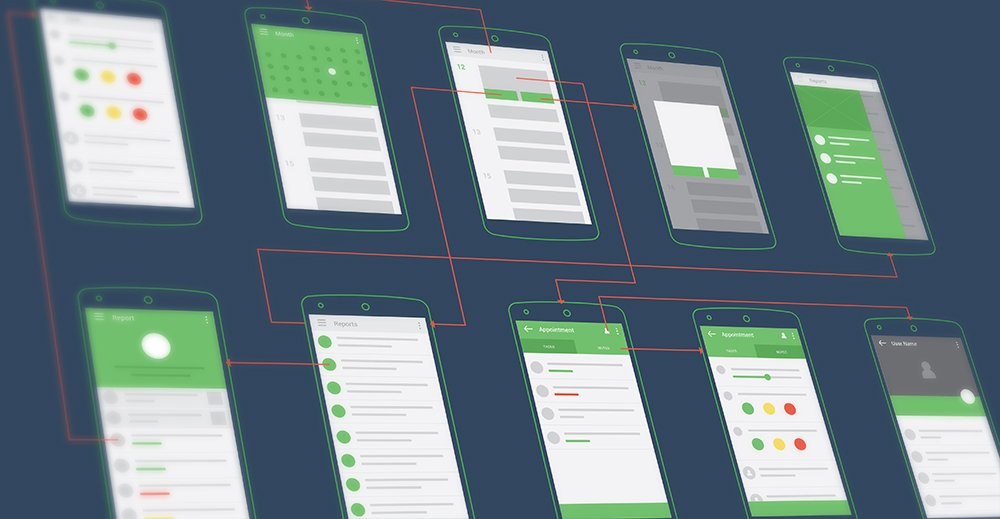
Before designing individual screens, I analyzed the entire three-part KindlyCare system—the family portal, the administrative console, and the caregiver mobile client. Caregivers work in dynamic, fast-paced environments where every action must be swift and error-tolerant. To understand interaction expectations, I mapped out end-to-end task flows and created structural wireframes covering shift check-ins, appointment overviews, and daily care checklists.
Color Palette & Emotional Tone
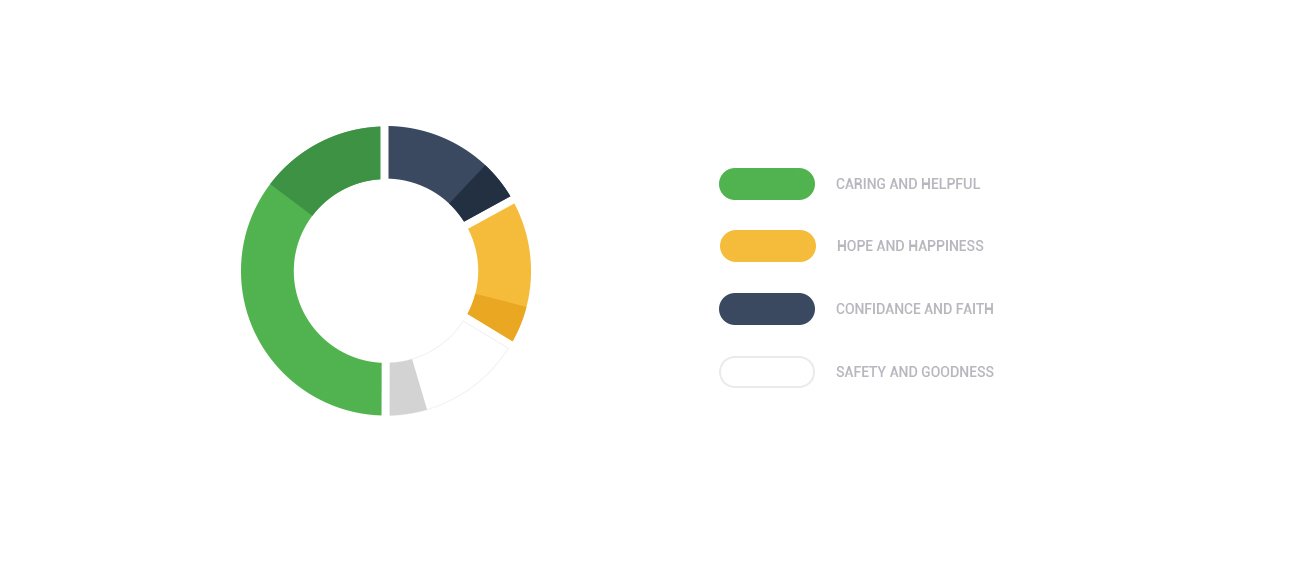
Caregiving applications require an interface that feels calm, trustworthy, and supportive rather than sterile or clinical. I structured a purposeful color system where each hue conveys a specific psychological intent: vibrant green represents caring and health, warm yellow instills hope and positivity, deep slate blue communicates confidence and reliability, and soft white maintains safety and visual breathing room.
Shift Management & Client Profiles
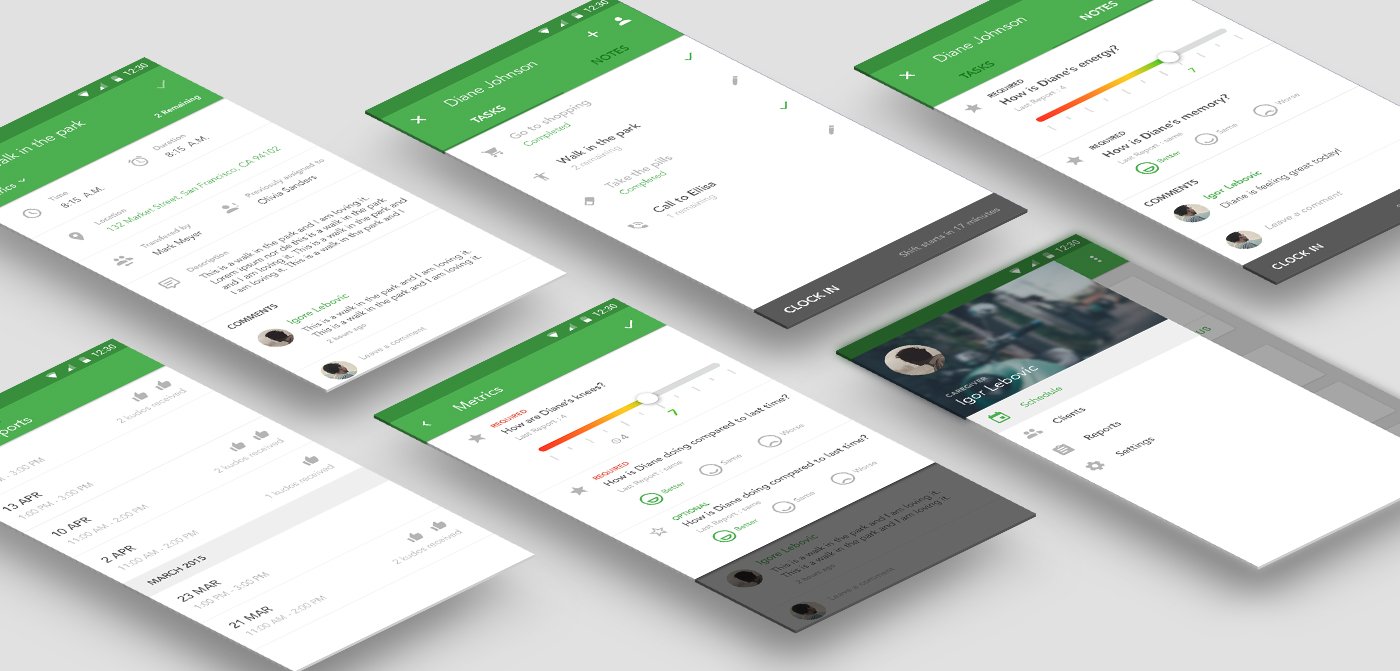
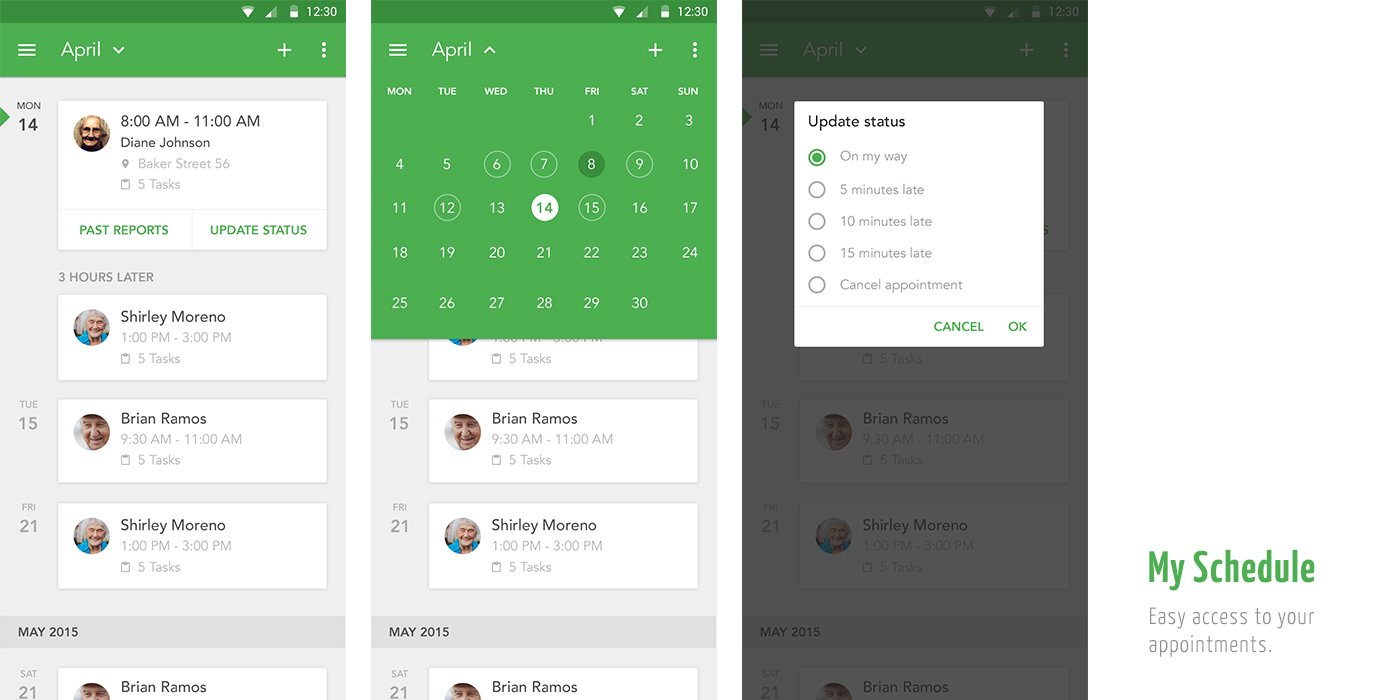
The primary daily dashboard provides instant access to upcoming appointments, travel times, and quick status alerts. If an unexpected delay occurs, caregivers can update families with a single tap—selecting presets like 'On my way' or '10 minutes late' without frantic phone calls.
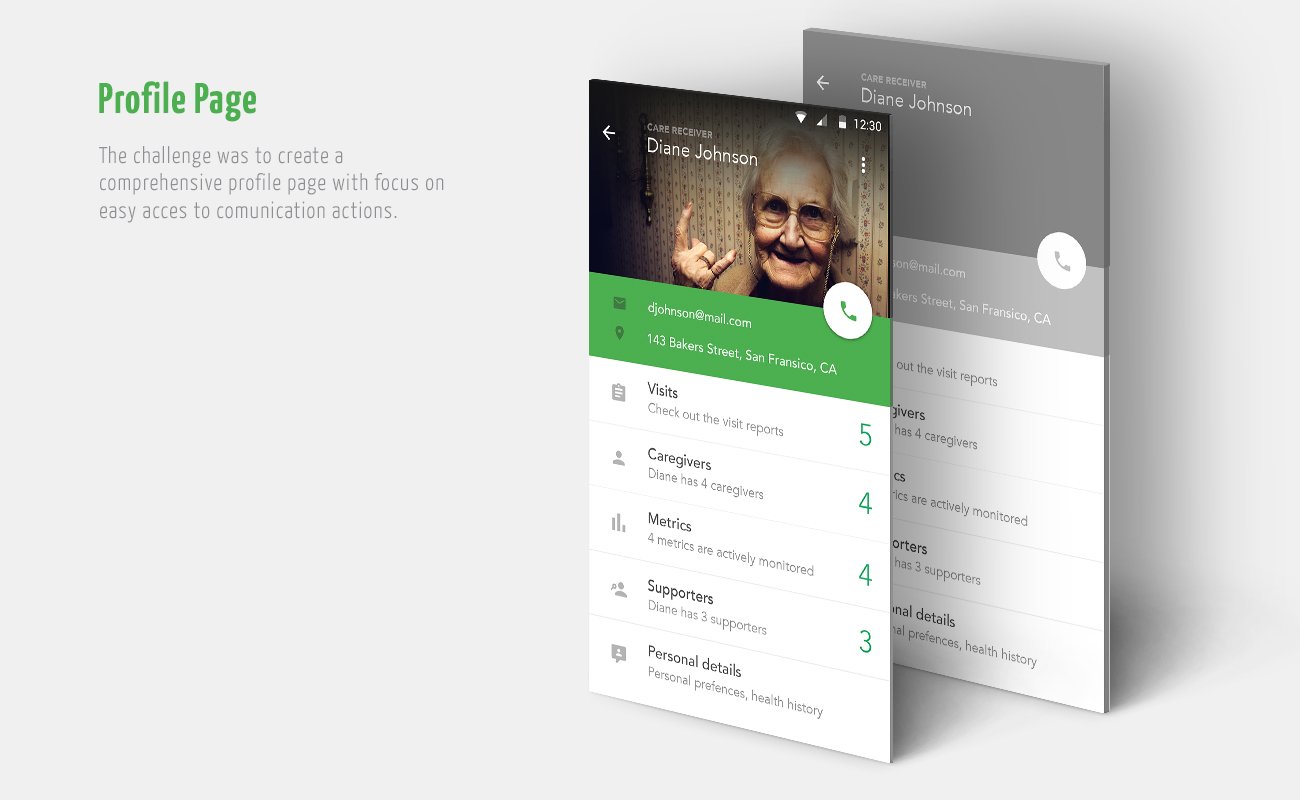
Each client has a dedicated profile summarizing their medical history, key emergency contacts, visiting caregivers, and monitored vital metrics. The interface emphasizes immediate communication actions, ensuring caregivers can reach supporters or family members instantly.
Summary Reports & Health Tracking
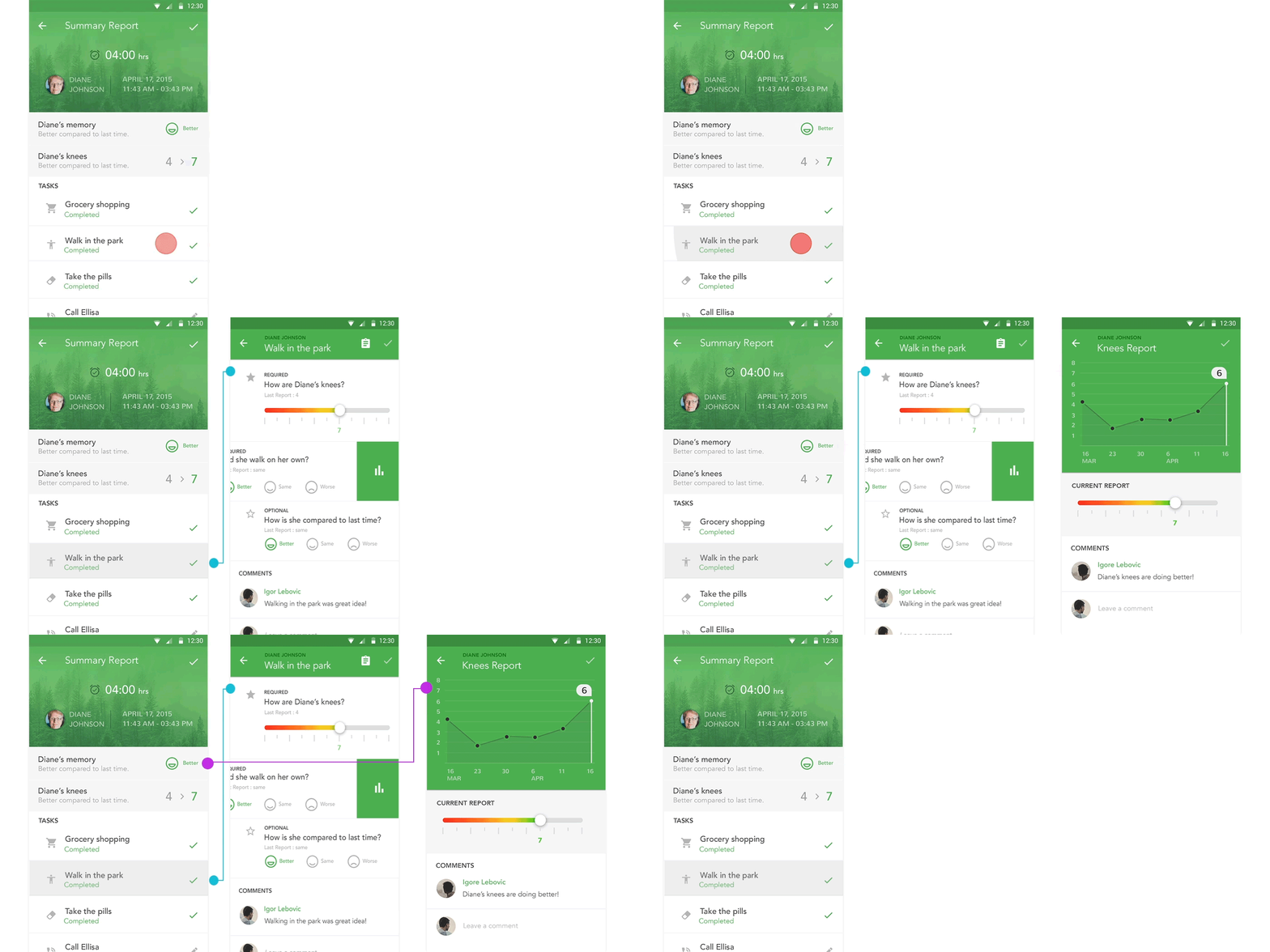
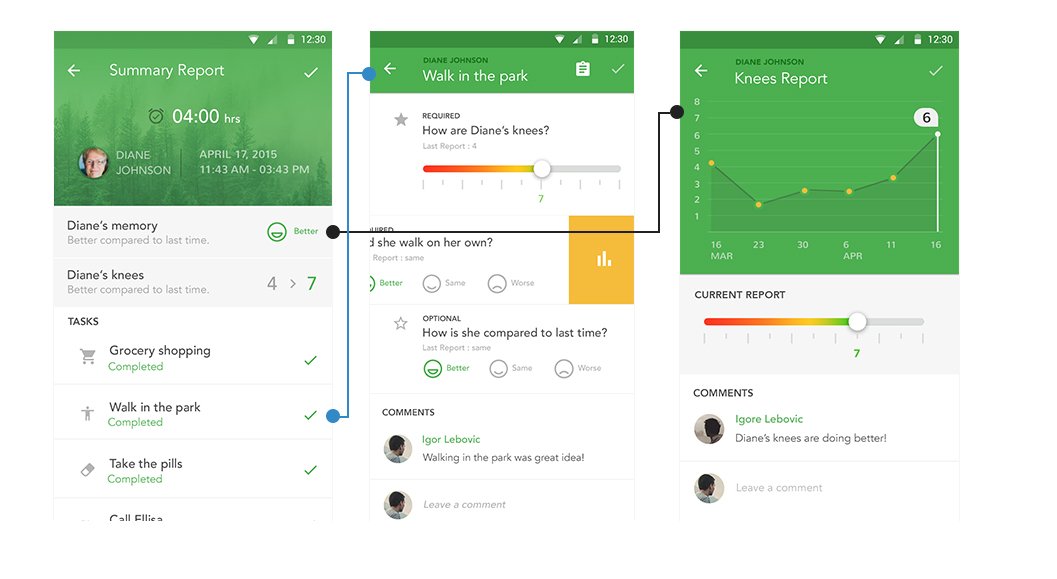
After concluding each visit, caregivers submit a structured summary report to the client's family. Instead of relying on open-ended text that can be inconsistently filled, the app pairs task completion checkboxes with intuitive rating sliders for key metrics like mobility, knee pain, and cognitive mood. The system plots these data points over time, giving families and physicians longitudinal visibility into health trends.
Application Screens
The finalized design brings together Google's Material Design principles with friendly, approachable touch targets tailored for one-handed mobile use on the go.