Kaizala began in 2016 as a Microsoft Garage project: a chat app with actions built in, like polls, location check-ins and job assignments, so that a small business team or a community of thousands could get work done inside the conversation. It graduated into a product and became the first Microsoft product launched outside Redmond. It launched in India in July 2017, went worldwide to Office 365 customers in April 2019, and was folded into Microsoft Teams in 2023. It is now on the Microsoft Garage Wall of Fame.

In 2016 I was asked to redesign its app character, the visual language that would become Kaizala’s identity. UX team: Manager Jayawant Tewari, peers: Bijoy Raveendran, Bhaumik Kaji, Andre Rodrigues and Sonal Srivastava.

The slides below are from my presentation at the time, as they were.
Kaizala app character redesign title slide, June 2016

The problem

The app was recently laucnhed as a preview, but it looked generic. Next to every other chat app on a phone, it lacked polish and a visual identity of its own.
Slide reading: We are one in a million, but not in a good way
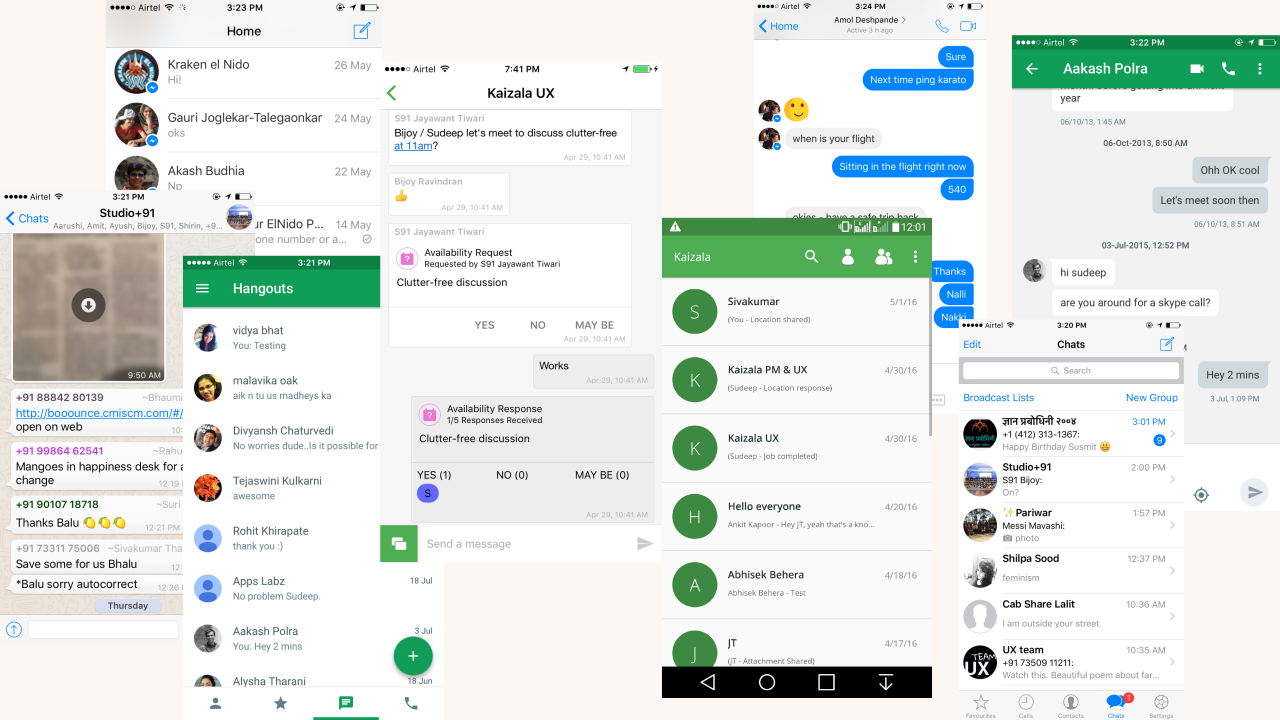
Screenshots of the old Kaizala app beside other chat apps, all looking alike
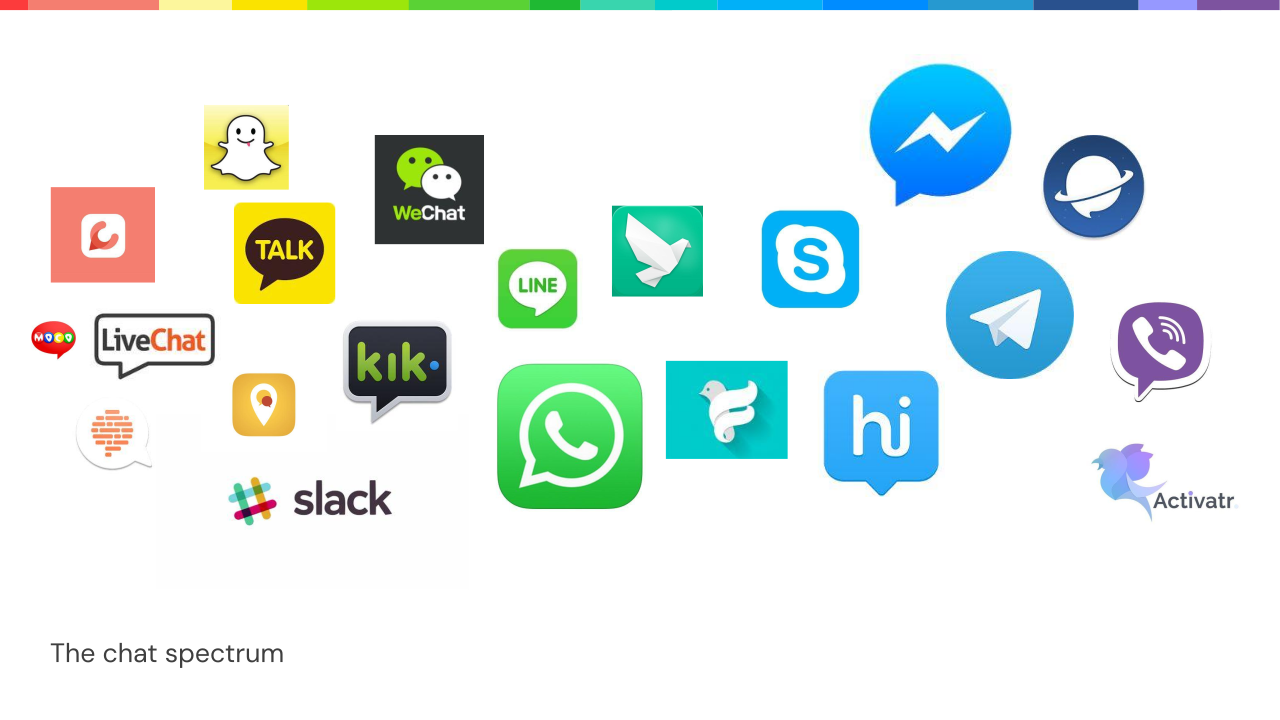
The chat spectrum: logos of WhatsApp, Slack, WeChat, Telegram, Line and other messaging apps

A new visual language

I spent a few weeks surveying users and stakeholders on what Kaizala should feel like, then built the language up from there.
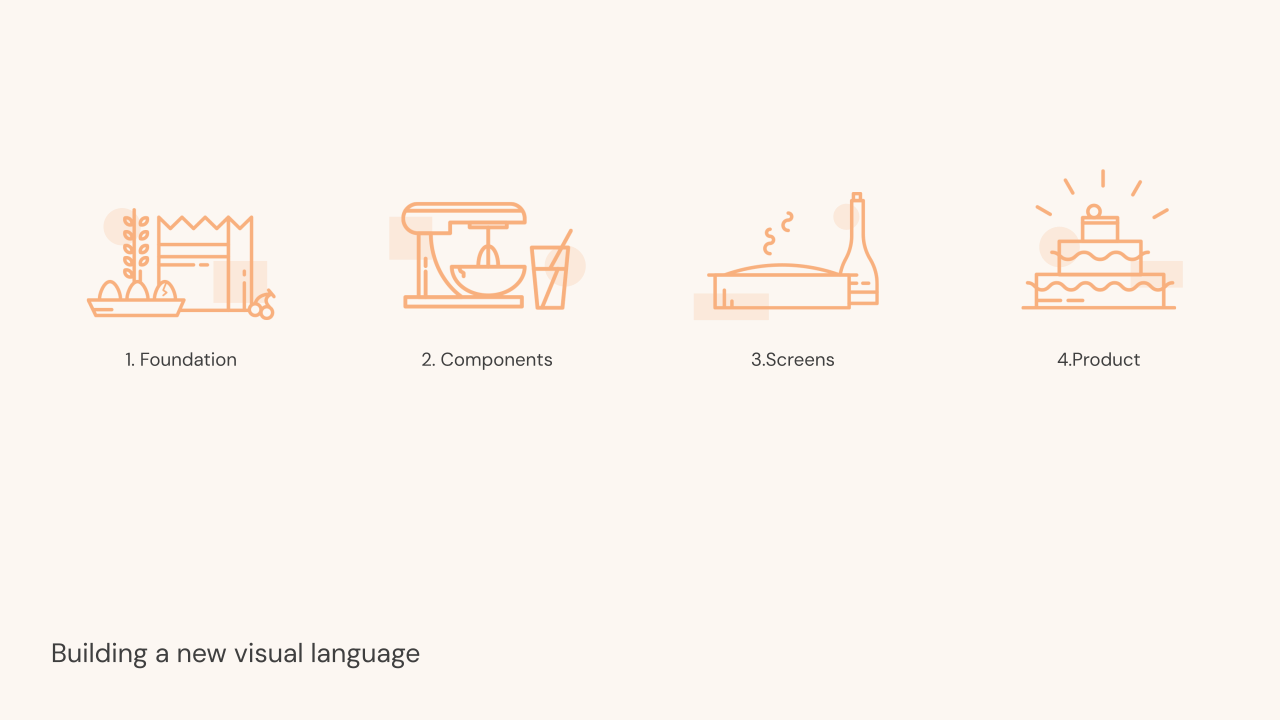
Building a new visual language in four steps: foundation, components, screens, product
Brand line: Do business efficiently over clutter-free conversations
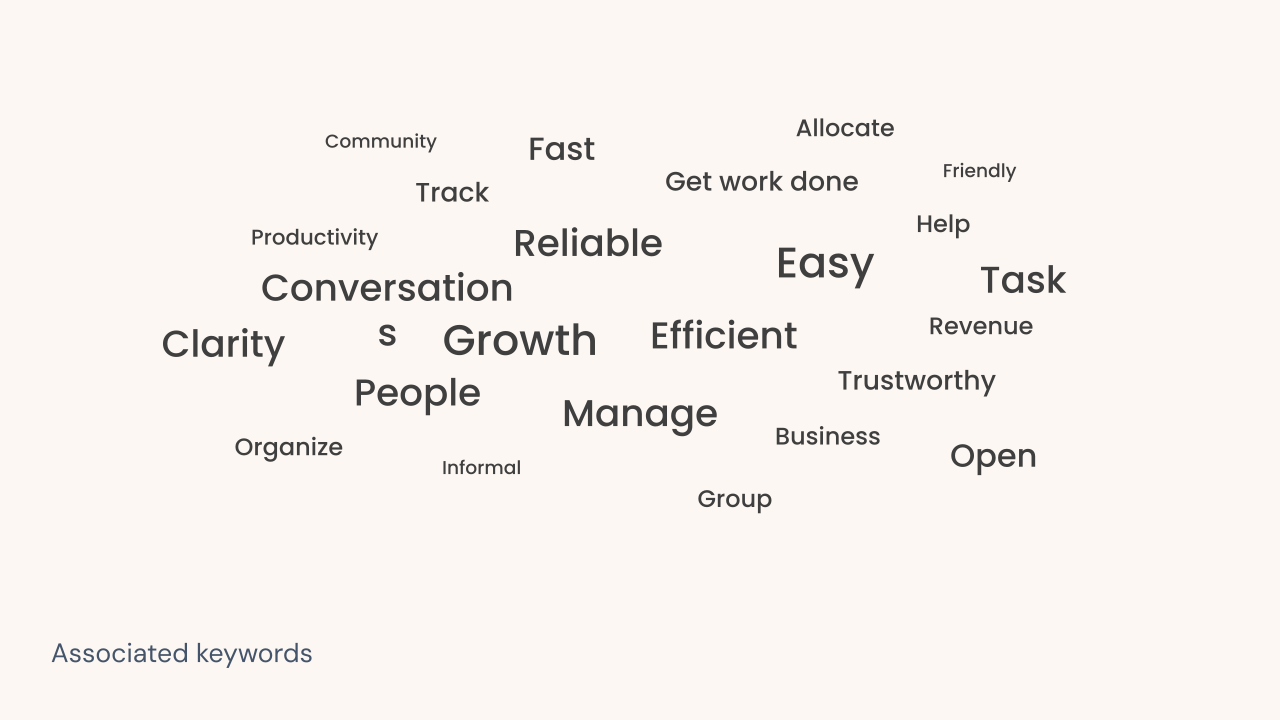
Word cloud of keywords users associated with Kaizala: easy, reliable, efficient, growth, conversation
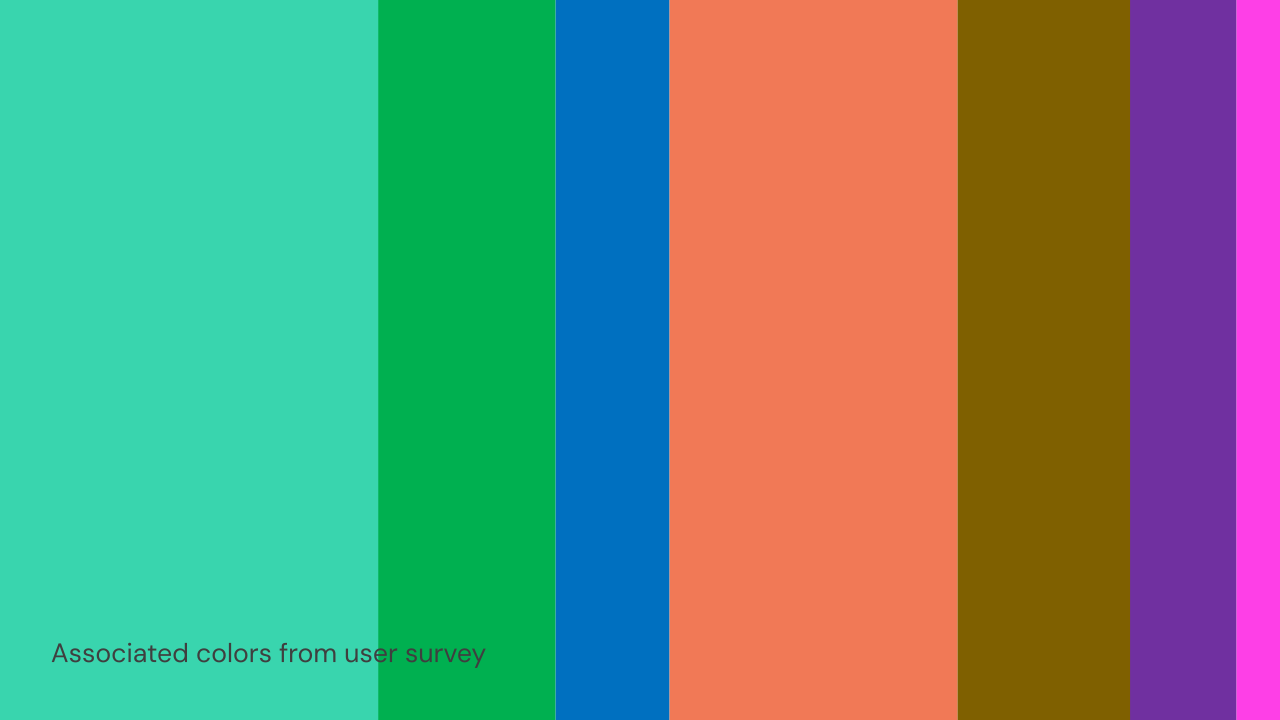
Colors users associated with Kaizala in the survey

Color

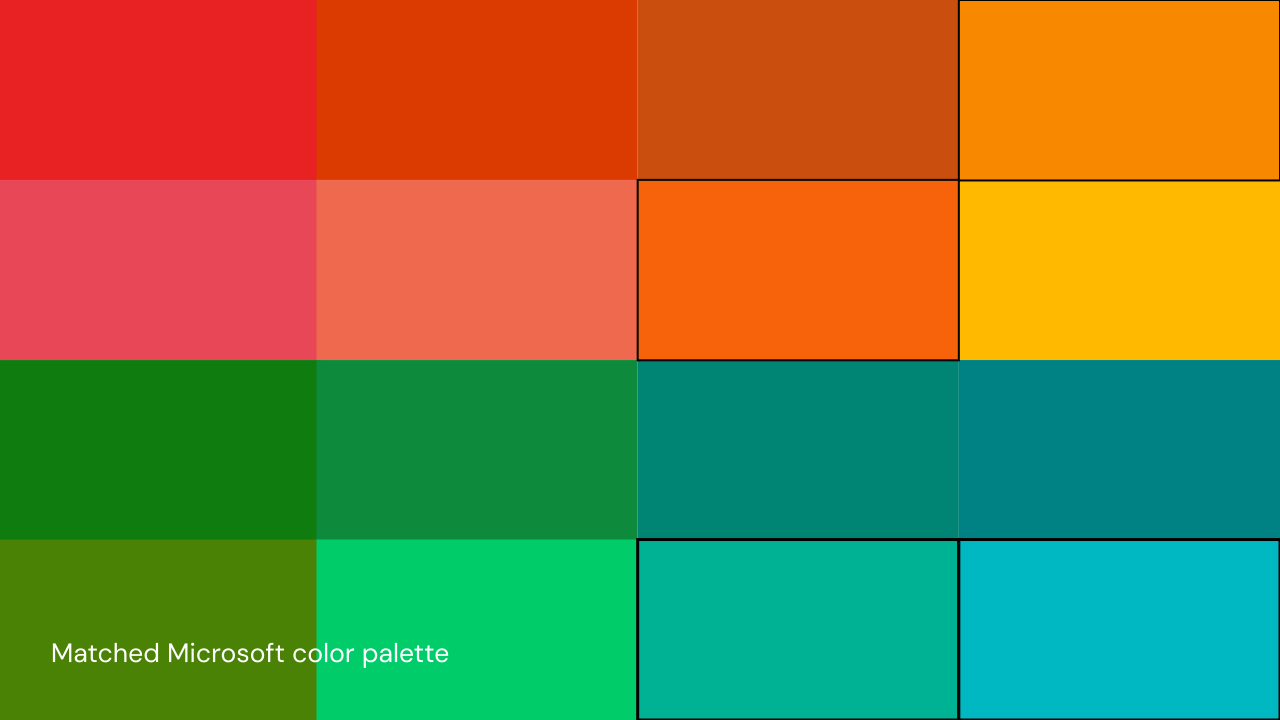
Survey colors matched to the Microsoft color palette
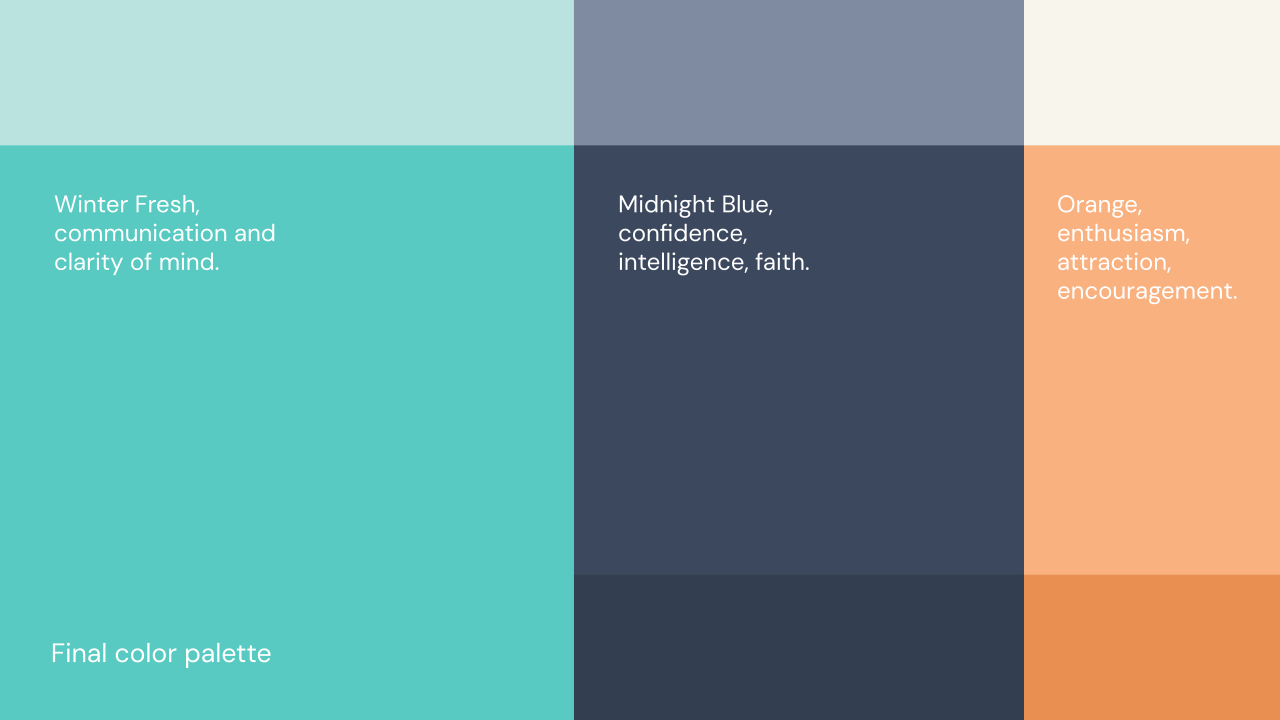
Final color palette: Winter Fresh, Midnight Blue and Orange
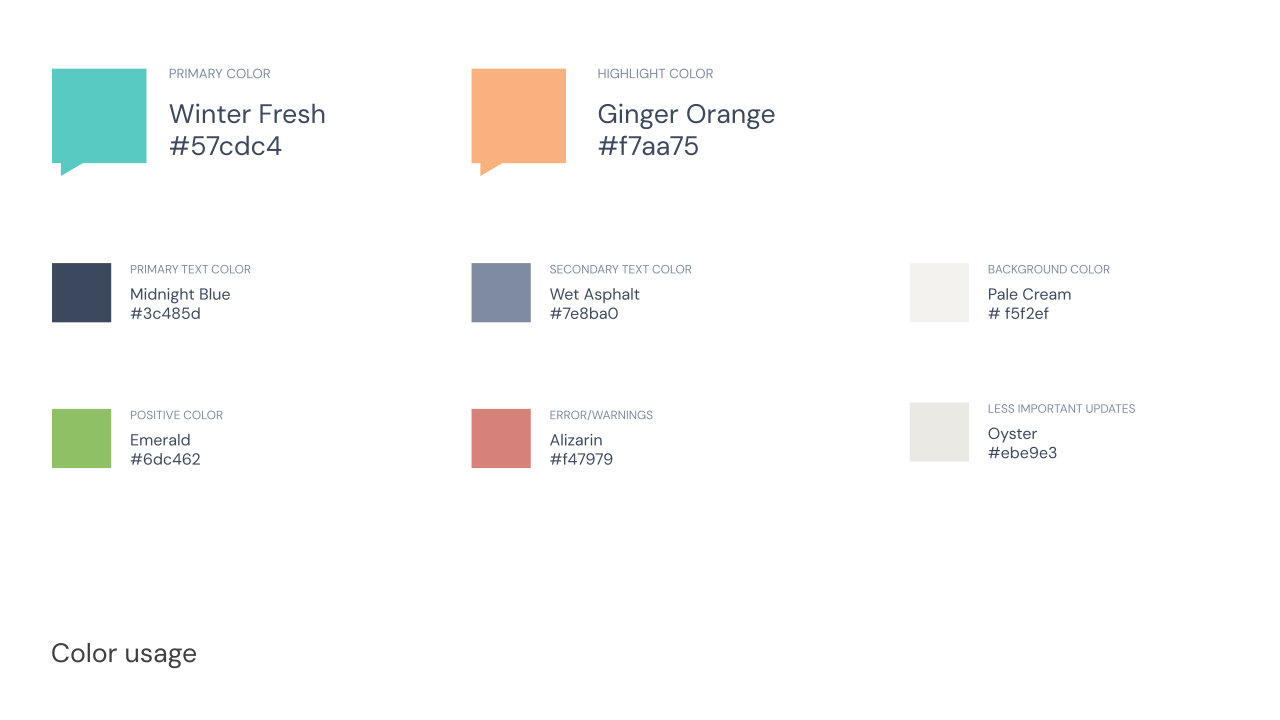
Color usage: primary, highlight, text, background, positive and error colors with hex values

Type

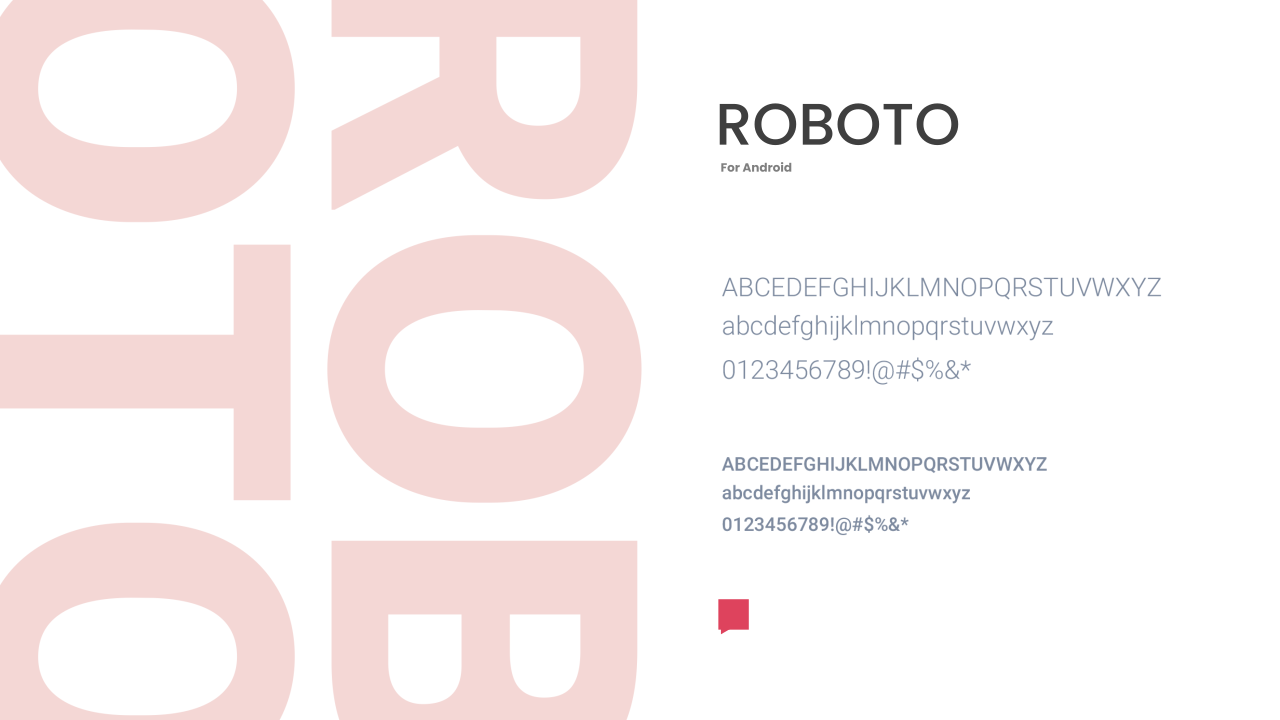
Roboto type specimen for Android
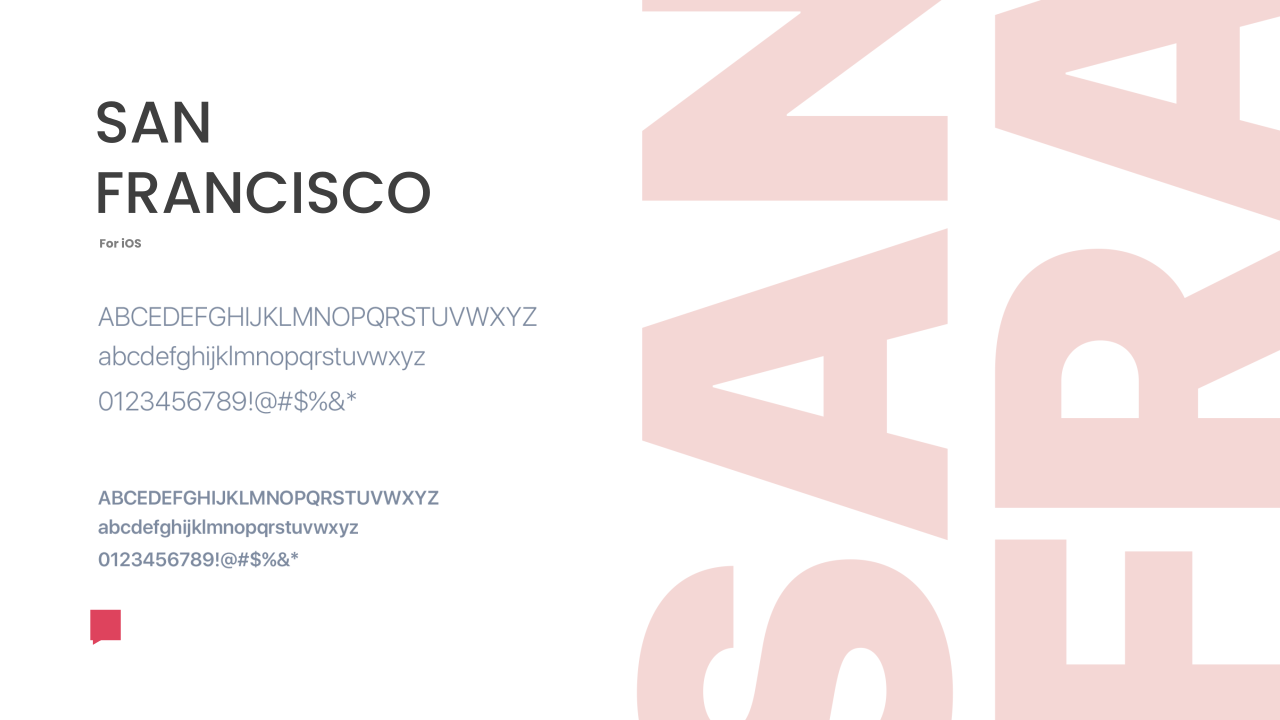
San Francisco type specimen for iOS
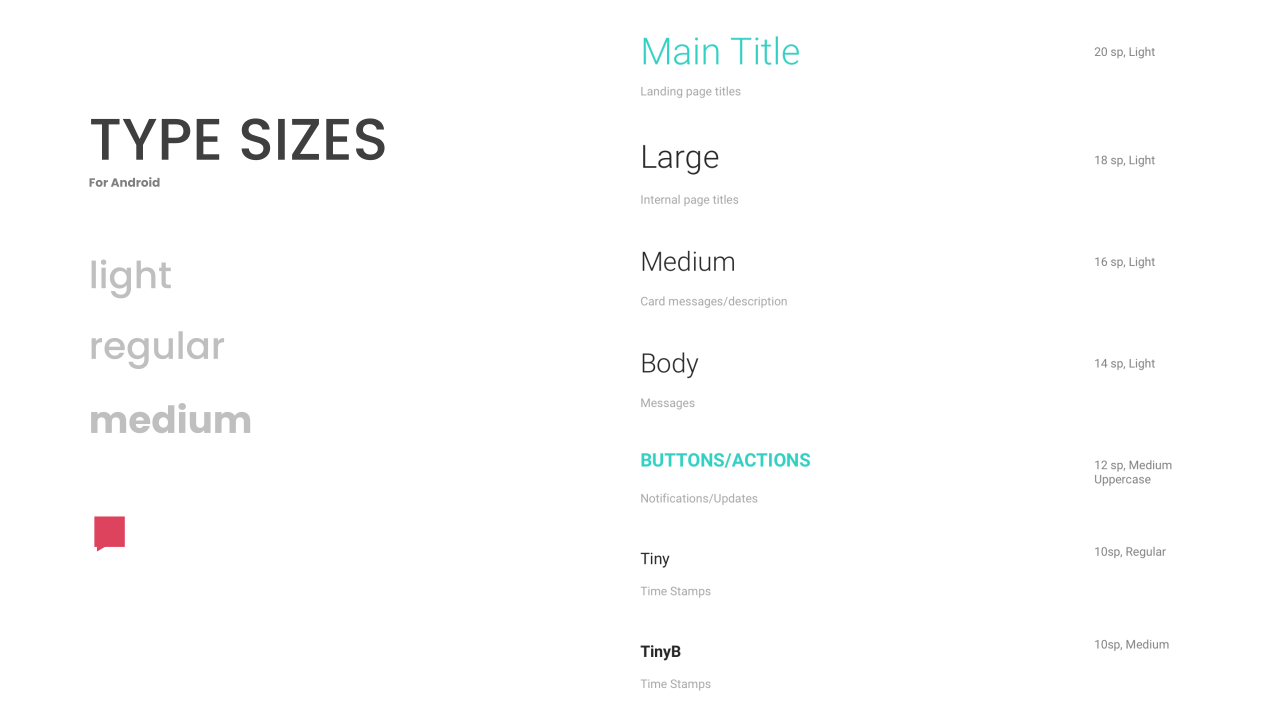
Type sizes for Android, from main title to timestamps

Icons

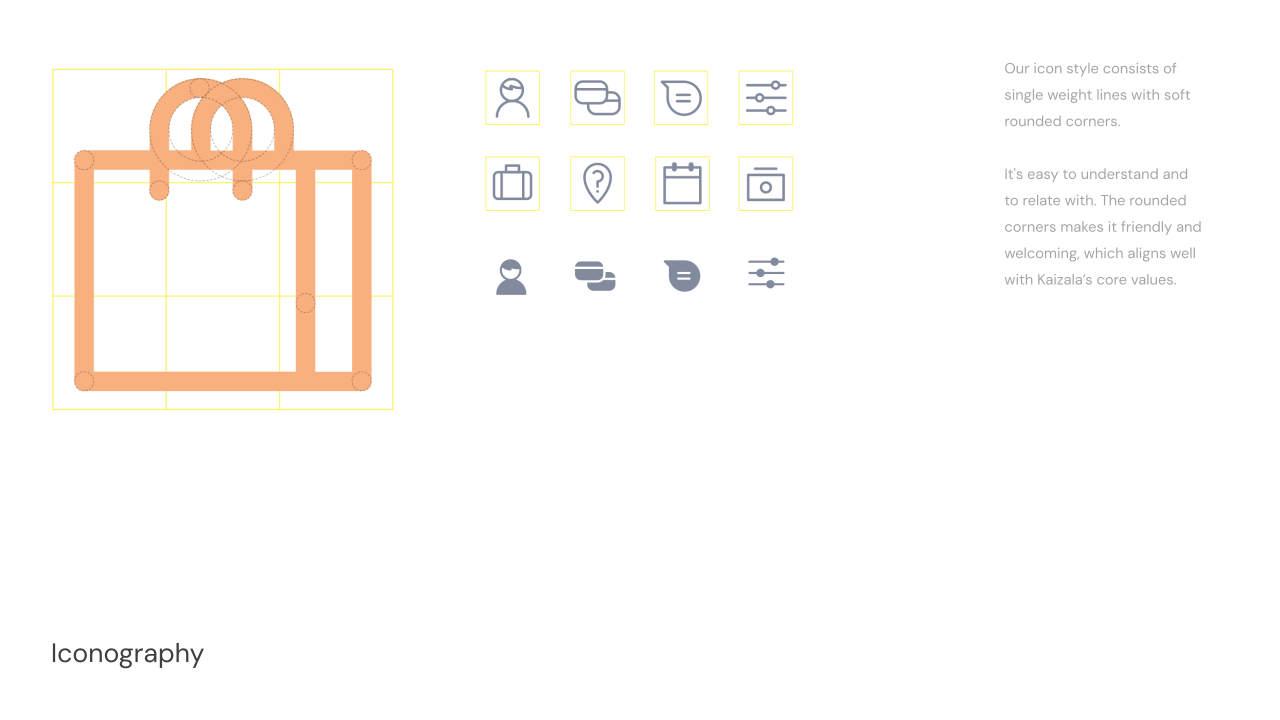
Icon construction grid and single-weight rounded line icons
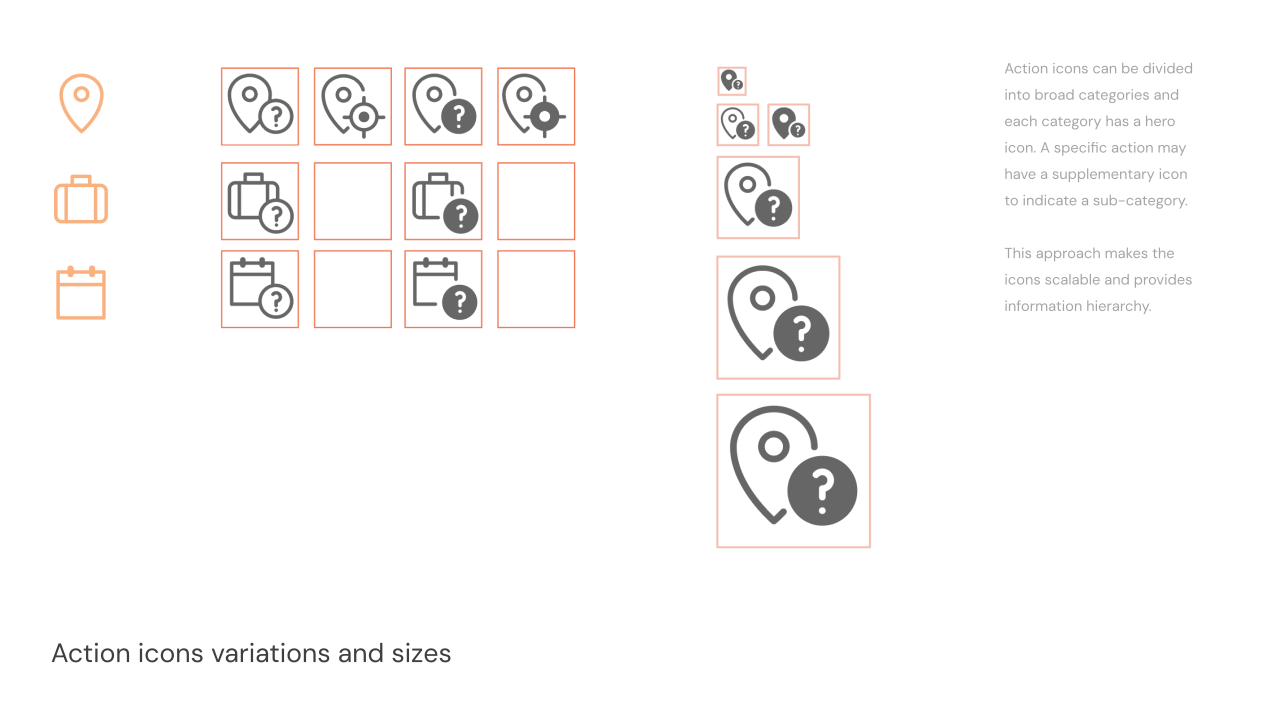
Action icon variations and sizes: a hero icon with a sub-action badge
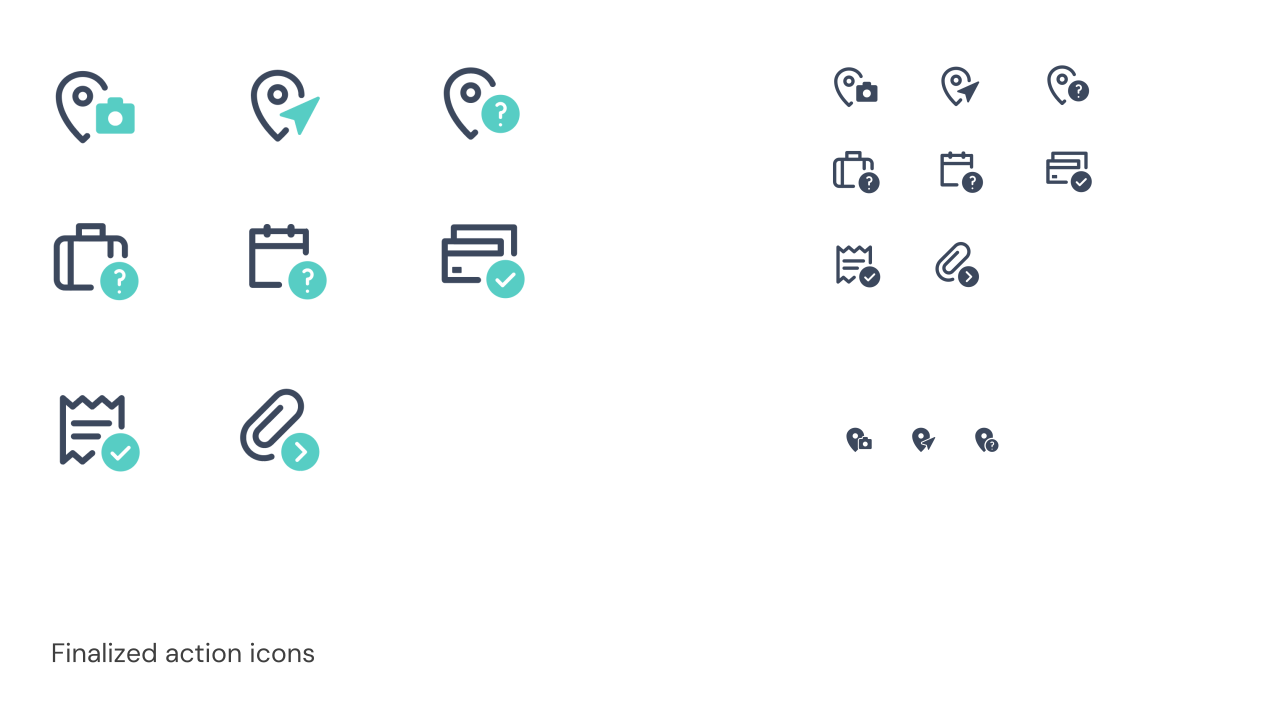
Finalized action icons for location, jobs, calendar, bills, receipts and attachments

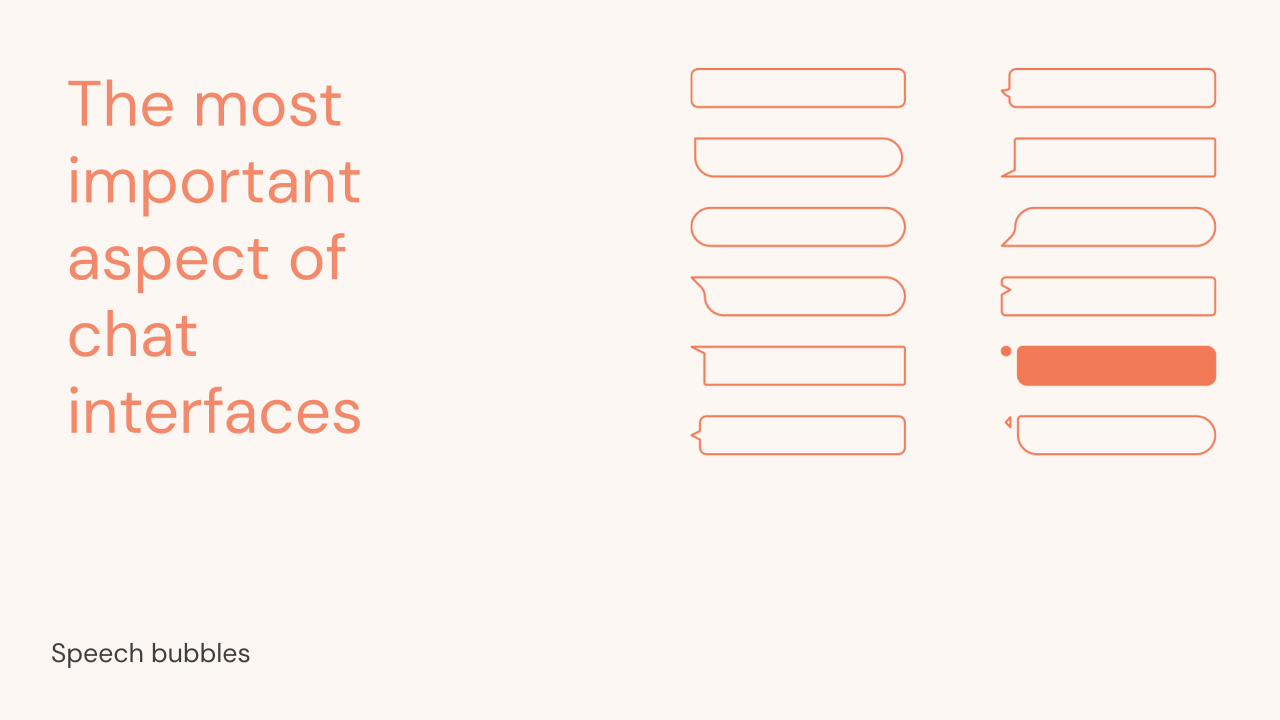
Speech bubbles

Speech bubble explorations: the most important aspect of a chat
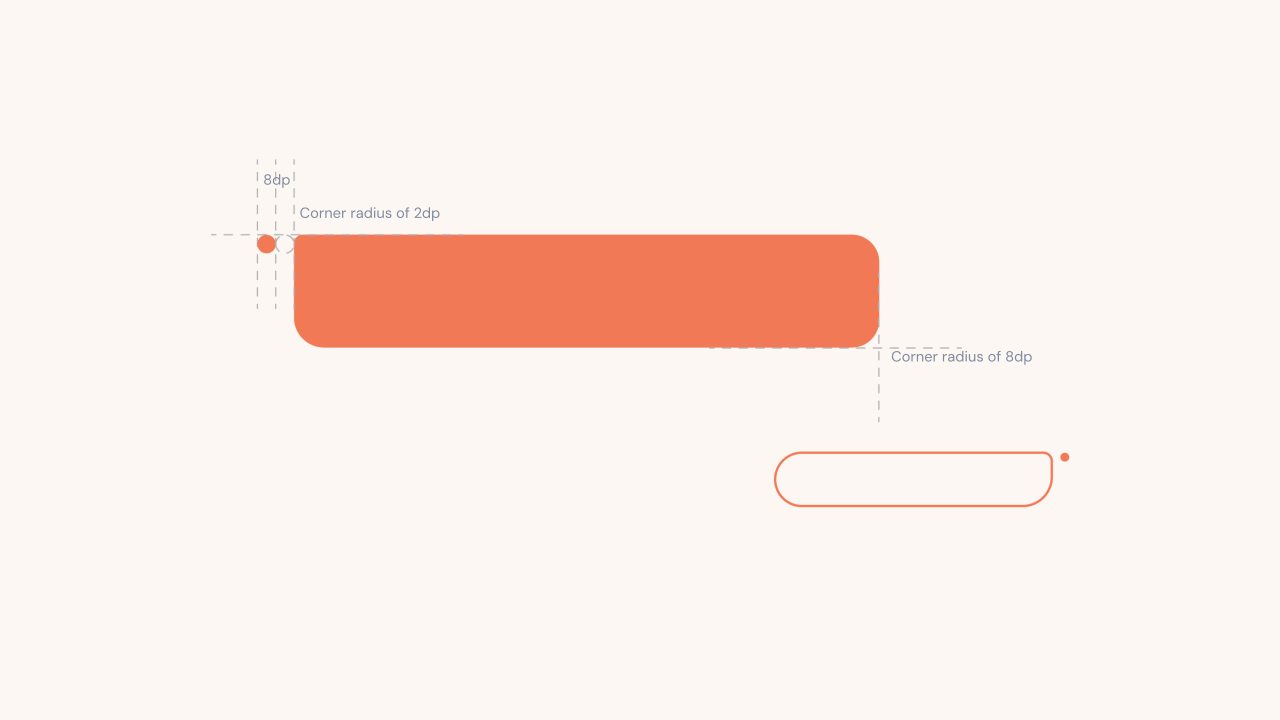
Speech bubble construction with 2dp and 8dp corner radii and a dot
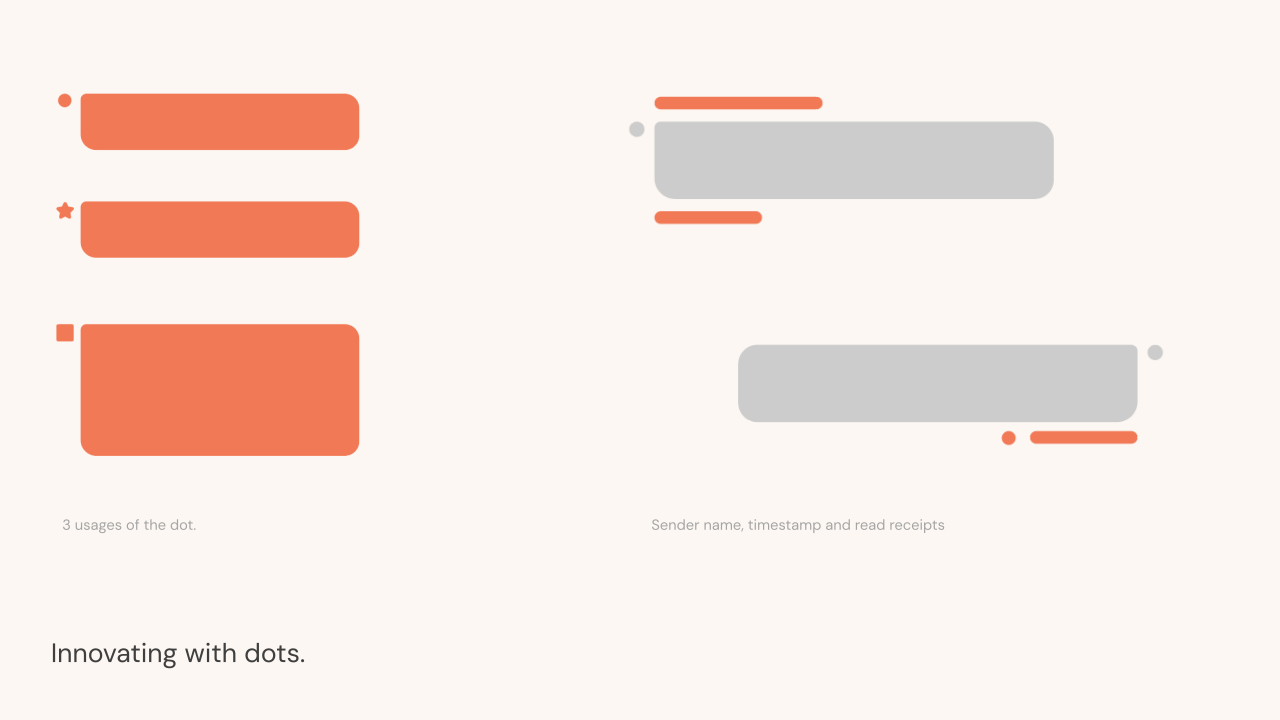
Innovating with dots: three uses of the dot, and sender name, timestamp and read receipts

Cards

Actions arrive as cards in the conversation, so every card type and state needed to belong to the same family.
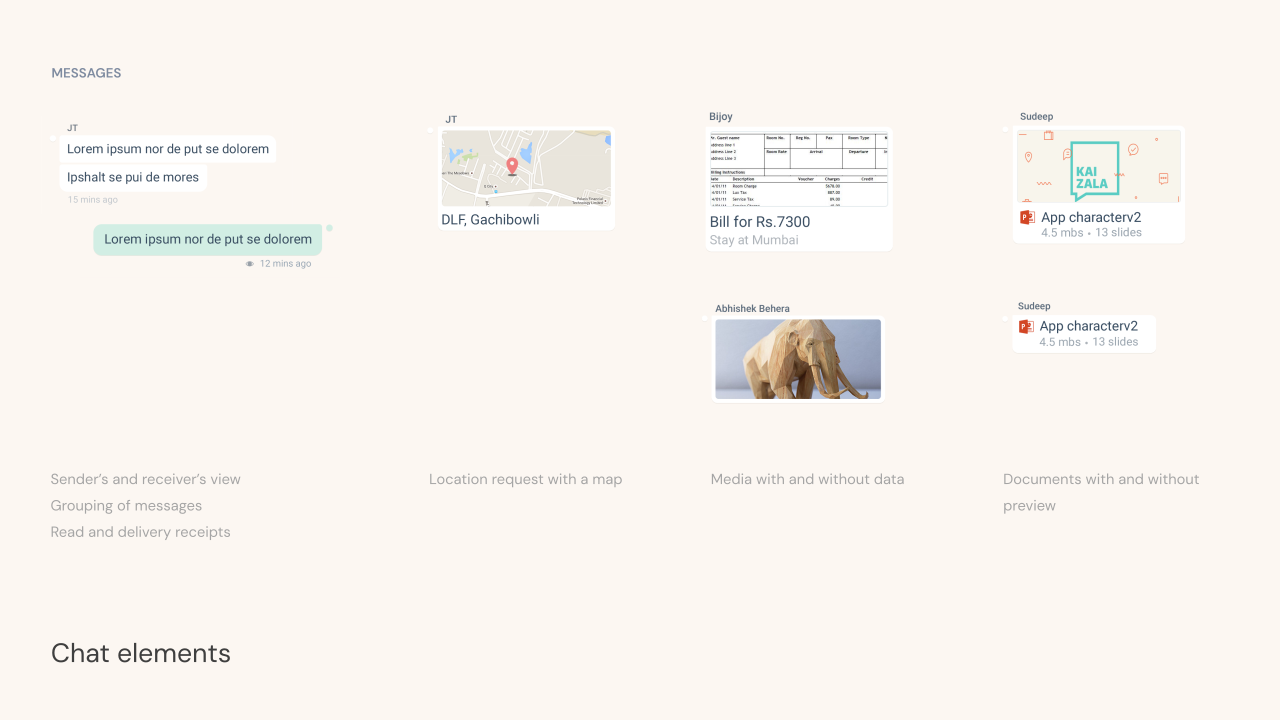
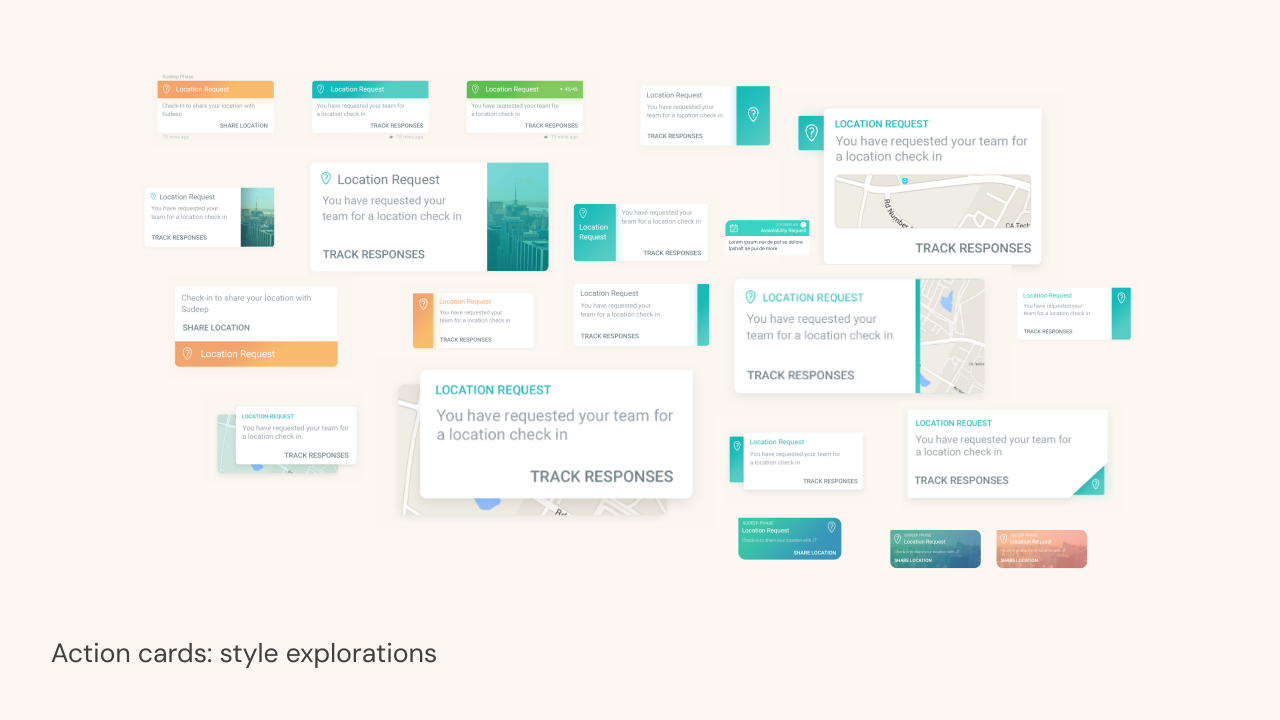
Chat elements: messages, location requests with a map, media, and documents
Action card style explorations
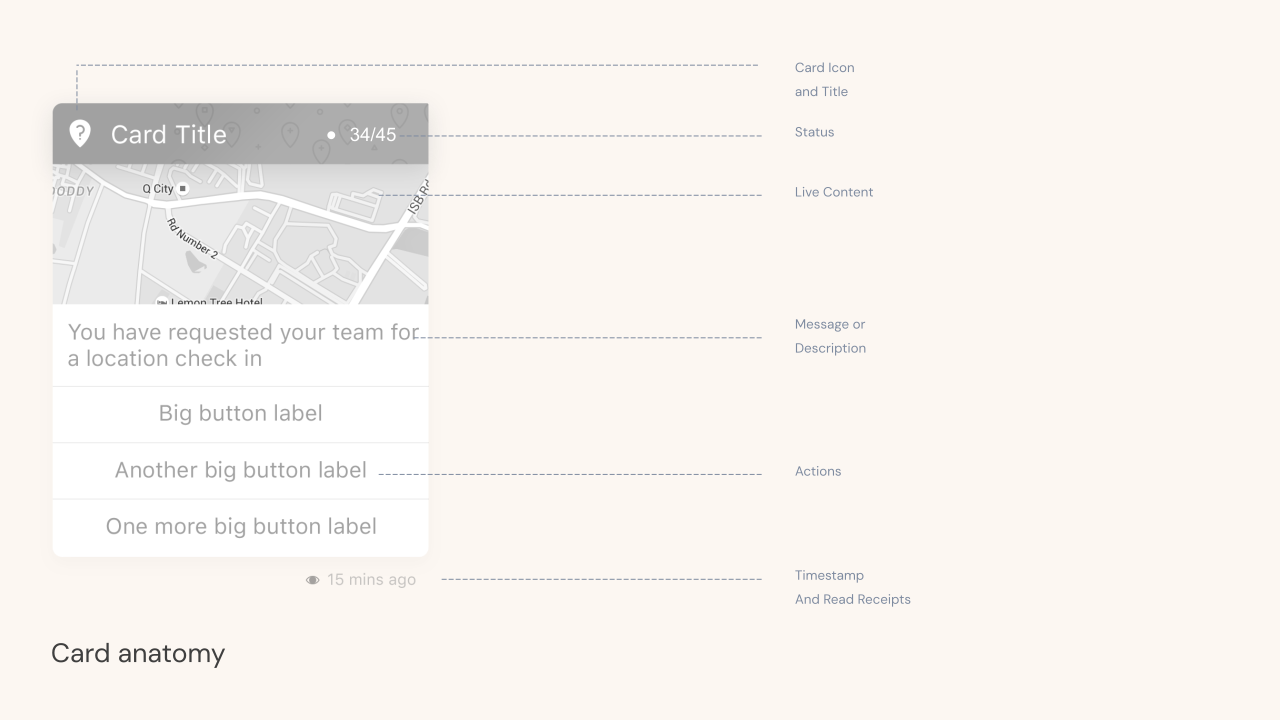
Card anatomy: icon and title, status, live content, description, actions, timestamp and receipts
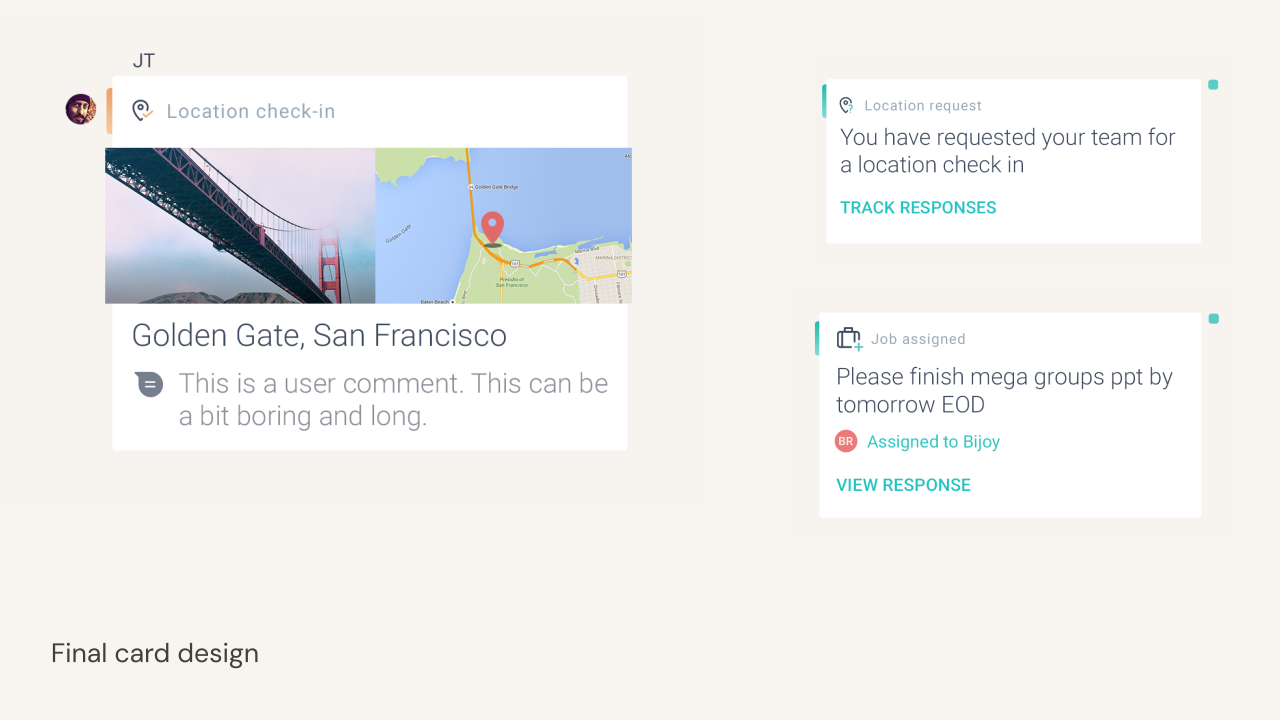
Final card design for a location check-in and a job assignment
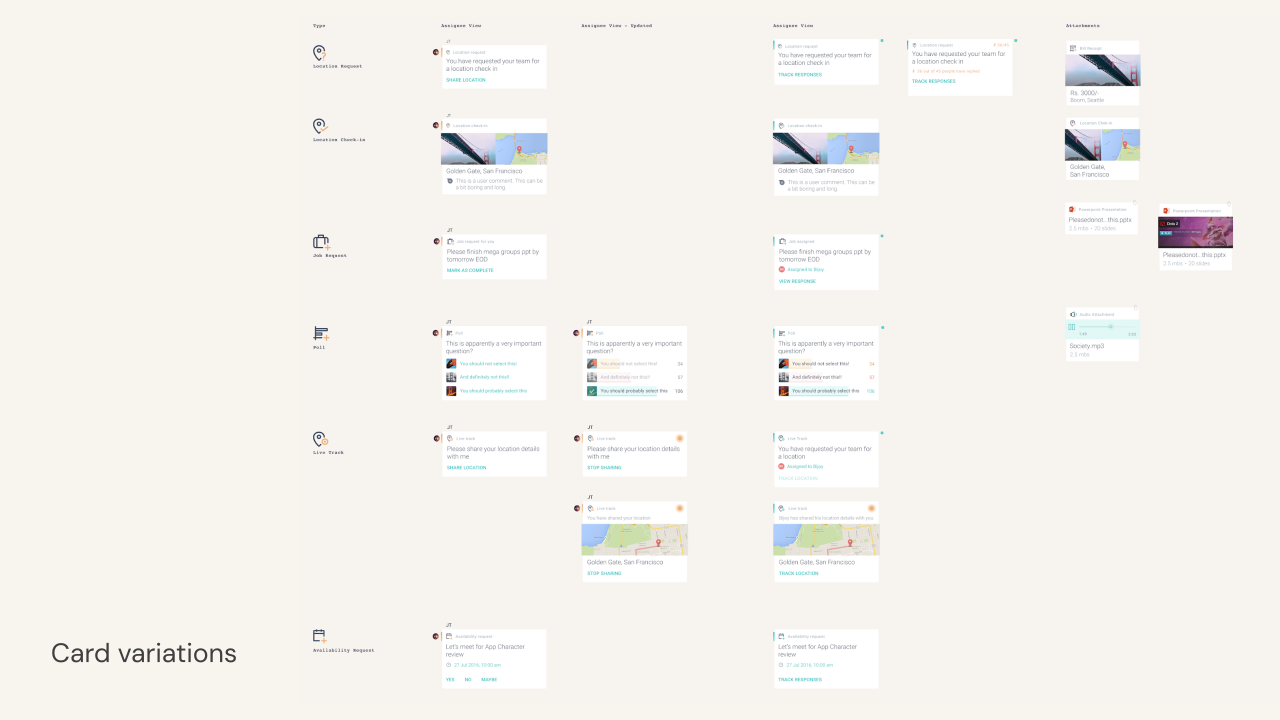
Card variations across every card type and state
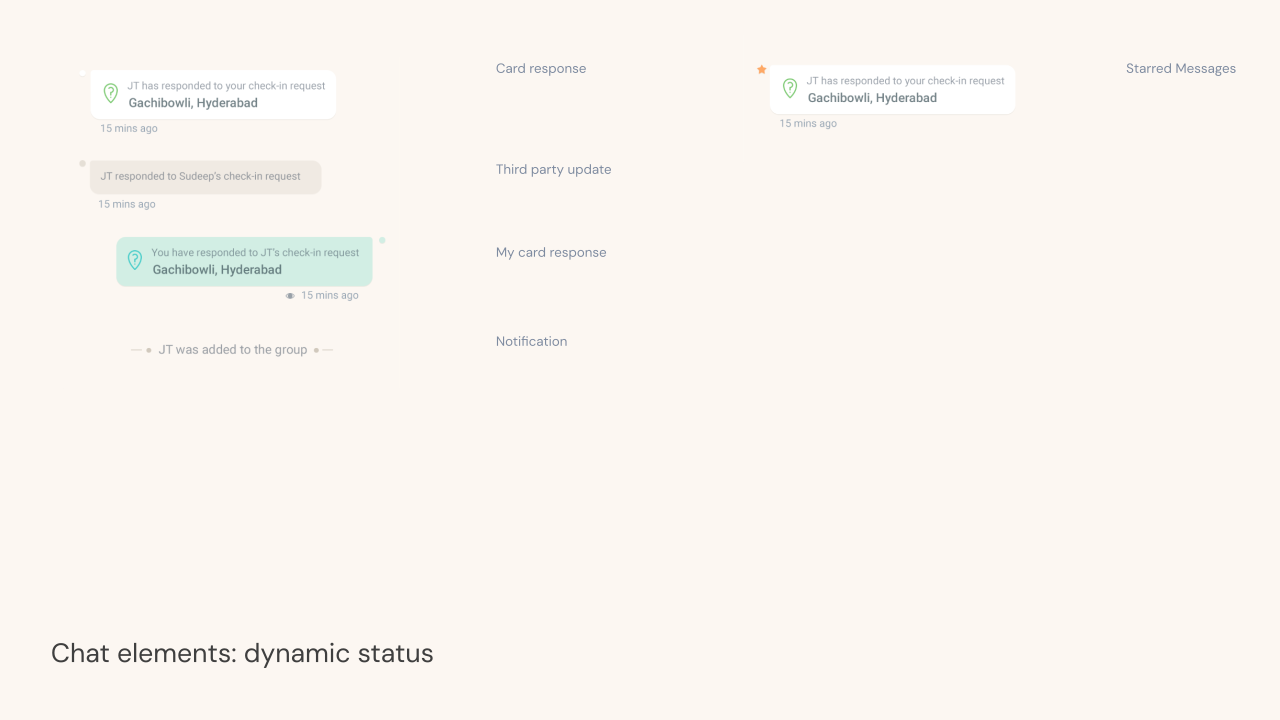
Chat elements with dynamic status: card responses, third party updates and notifications

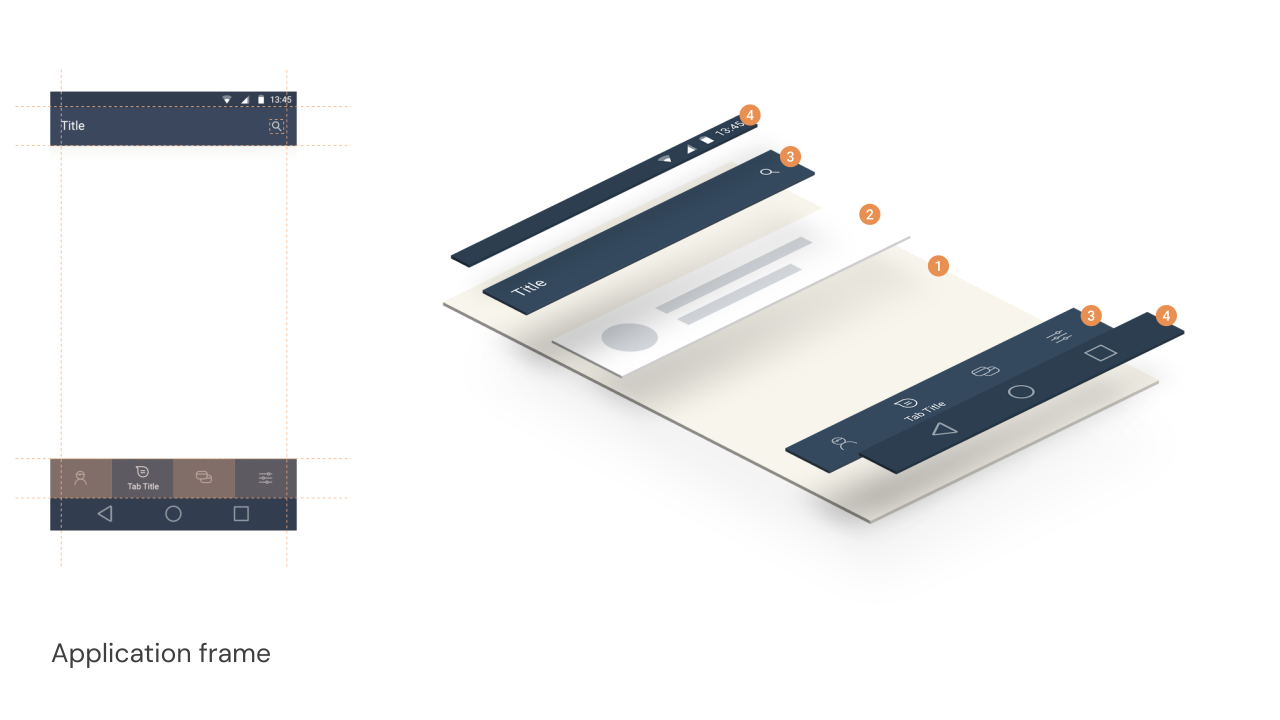
Depth and frame

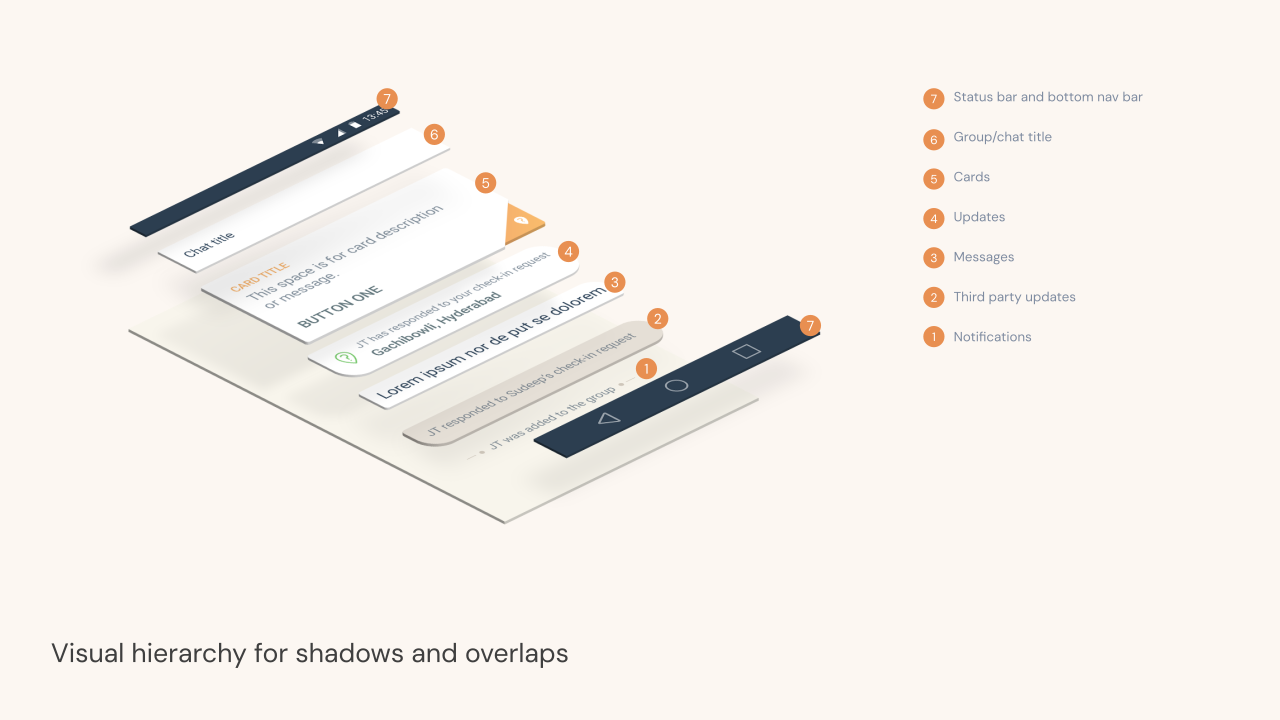
Visual hierarchy for shadows and overlaps, shown as exploded layers
Application frame for Android, flat and exploded

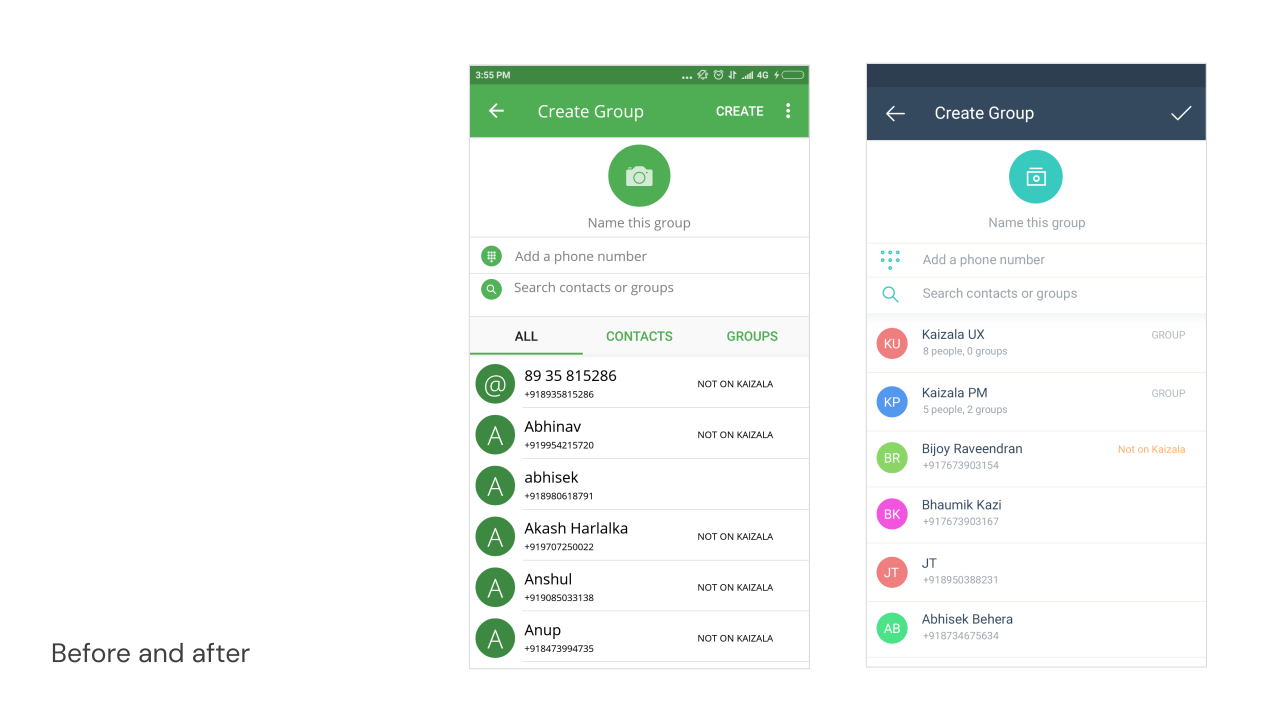
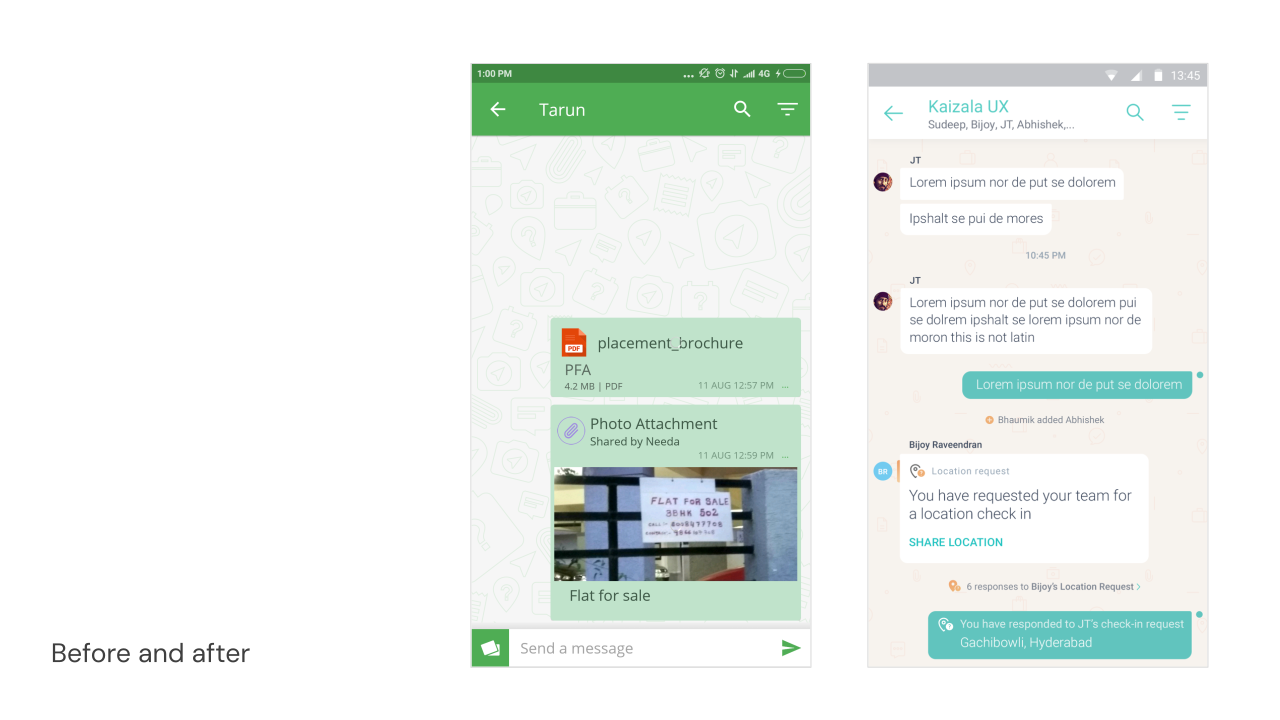
Before and after

The proposal was adopted, and shipped as Kaizala’s identity.
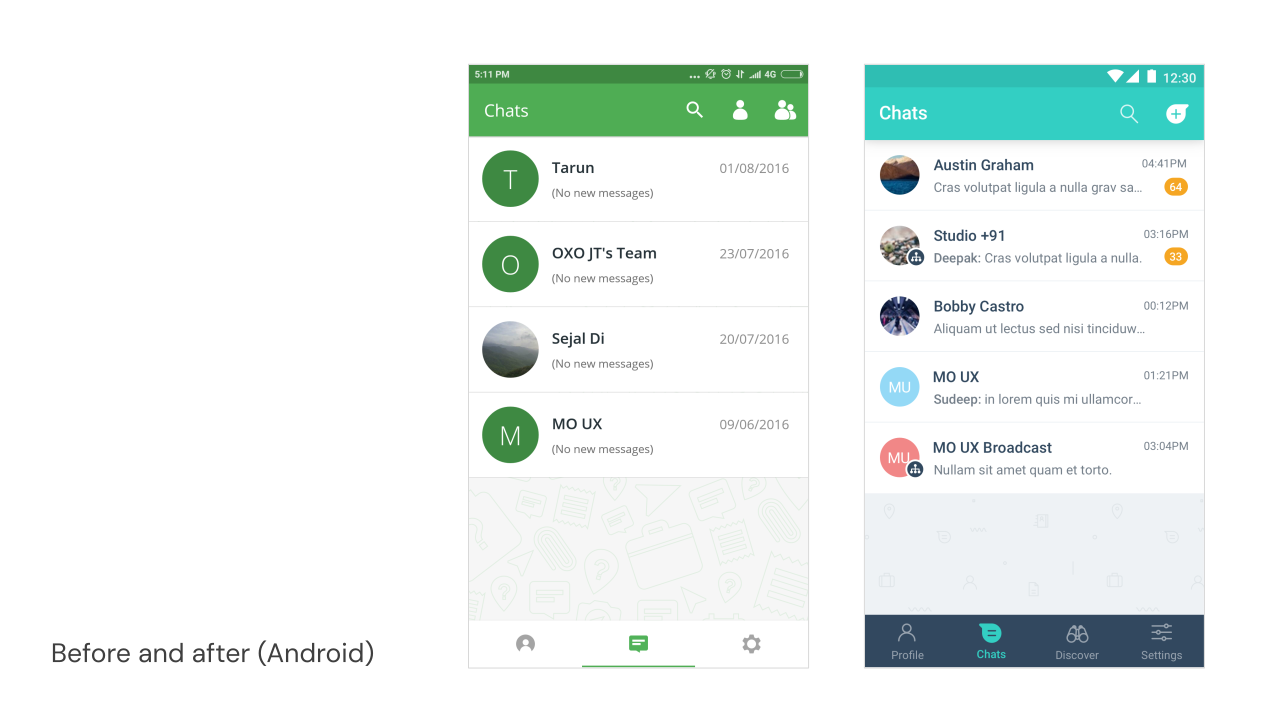
Before and after: the Android chat list
Before and after: creating a group
Before and after: a conversation

2017 update based on user feedback

In 2017 we changed the colors again, for three reasons. Kaizala needed to align more closely with the Microsoft brand palette and corporate strategy. Its positioning had changed, so it needed a clear distinction from WhatsApp. And users in India’s, especially tier 2 and tier 3 cities, didn’t find the original brand color appealing.

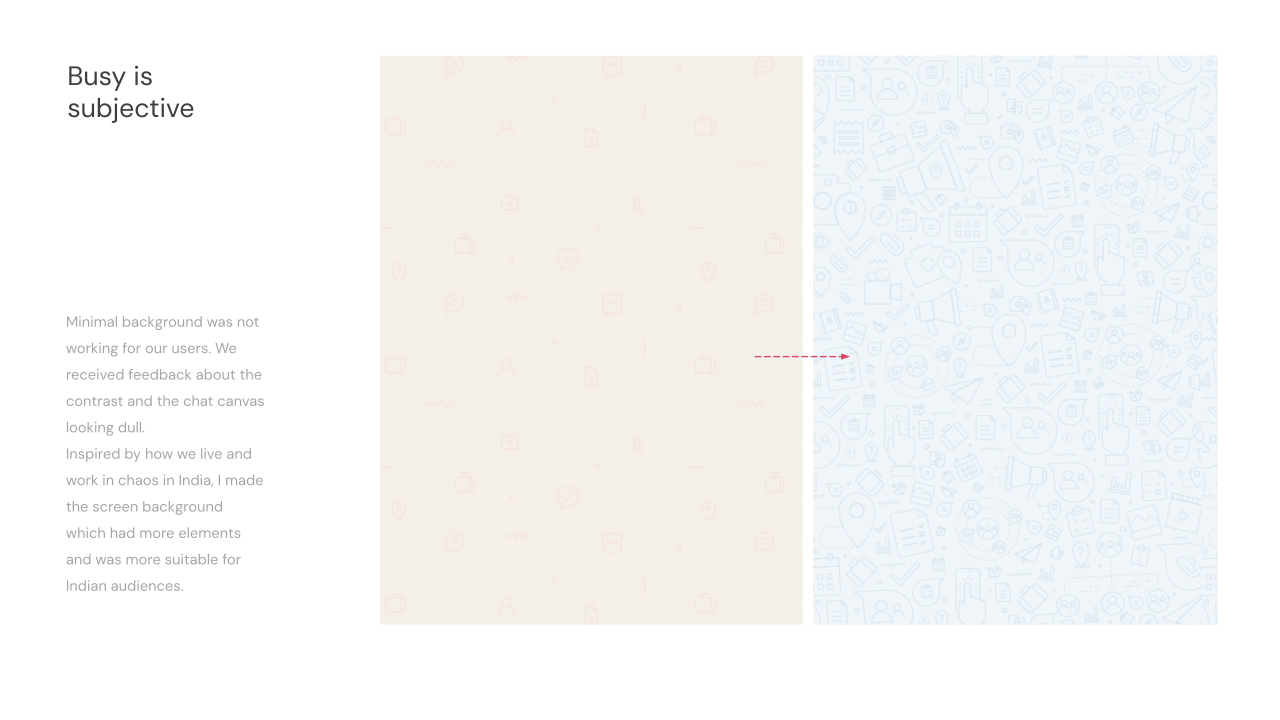
The bigger lesson for me personally was that users in emerging markets perceive color and UI differently from Western audiences. Although I grew up in an emerging market myself, my design philosophy and education were built for Western sensibilities and user needs. As a result of this user feedback, we used denser colors and busier backgrounds to make users feel comfortable and match their everyday environment and aesthetic preference.
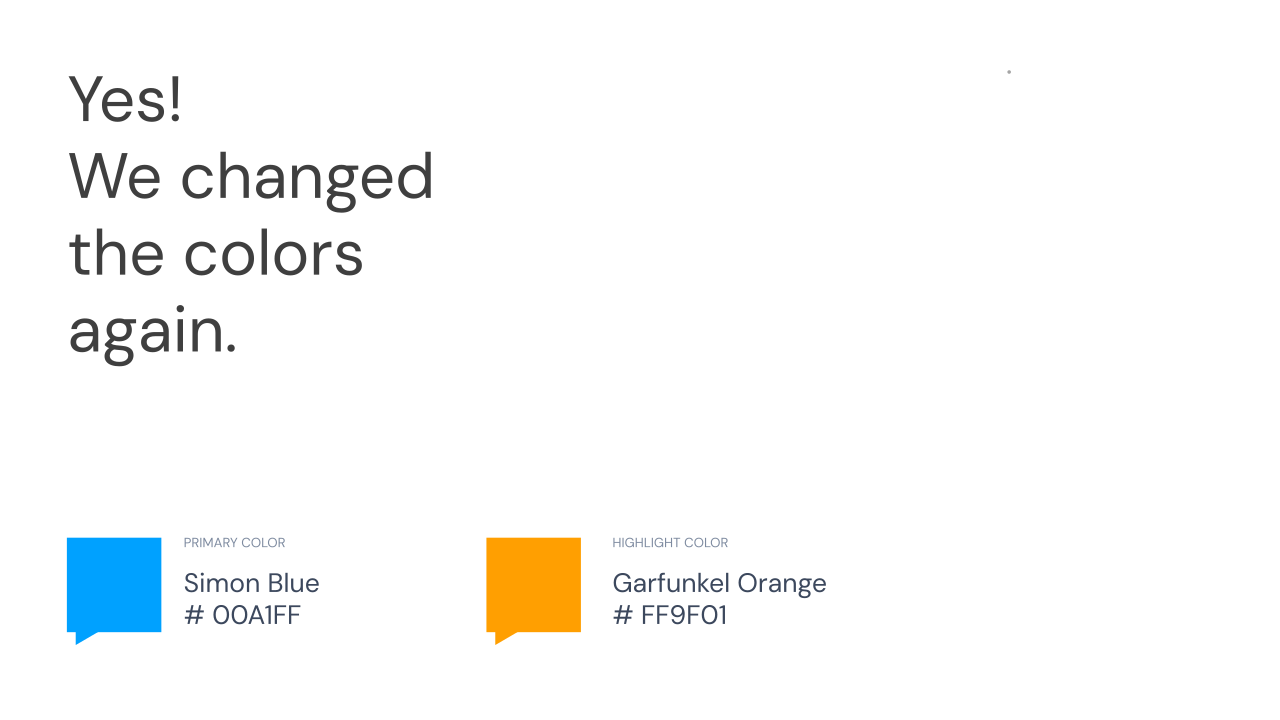
Yes! We changed the colors again: Simon Blue as the primary color and Garfunkel Orange as the highlight
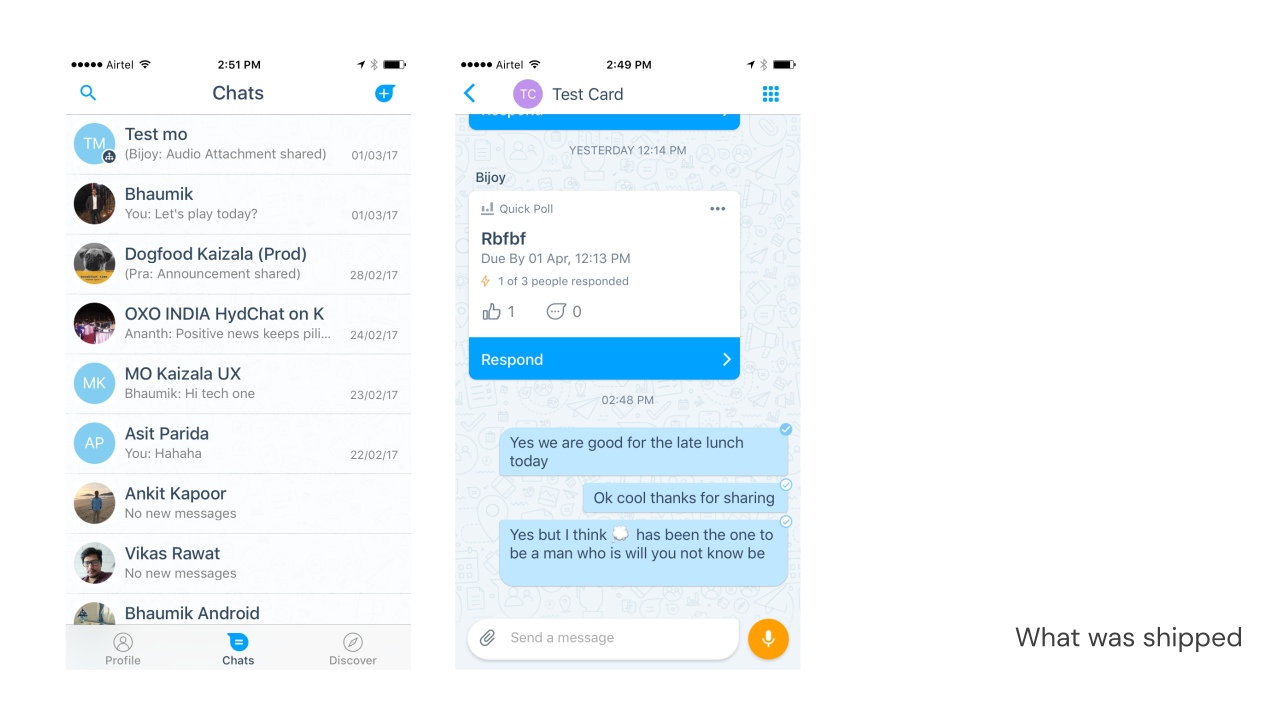
What was shipped: the iOS chat list and a conversation with a quick poll card, in the new blue
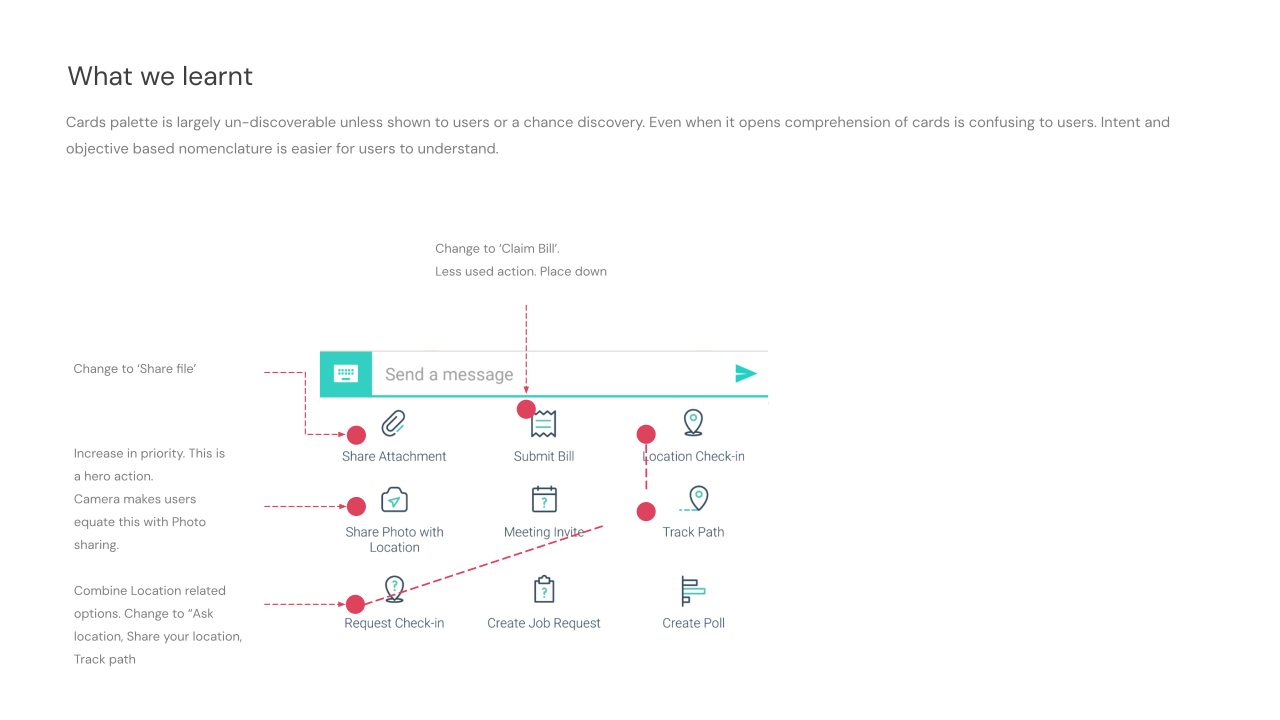
What we learnt: the cards palette was hard to find and understand, annotated with renames by intent and a regrouping of the location actions
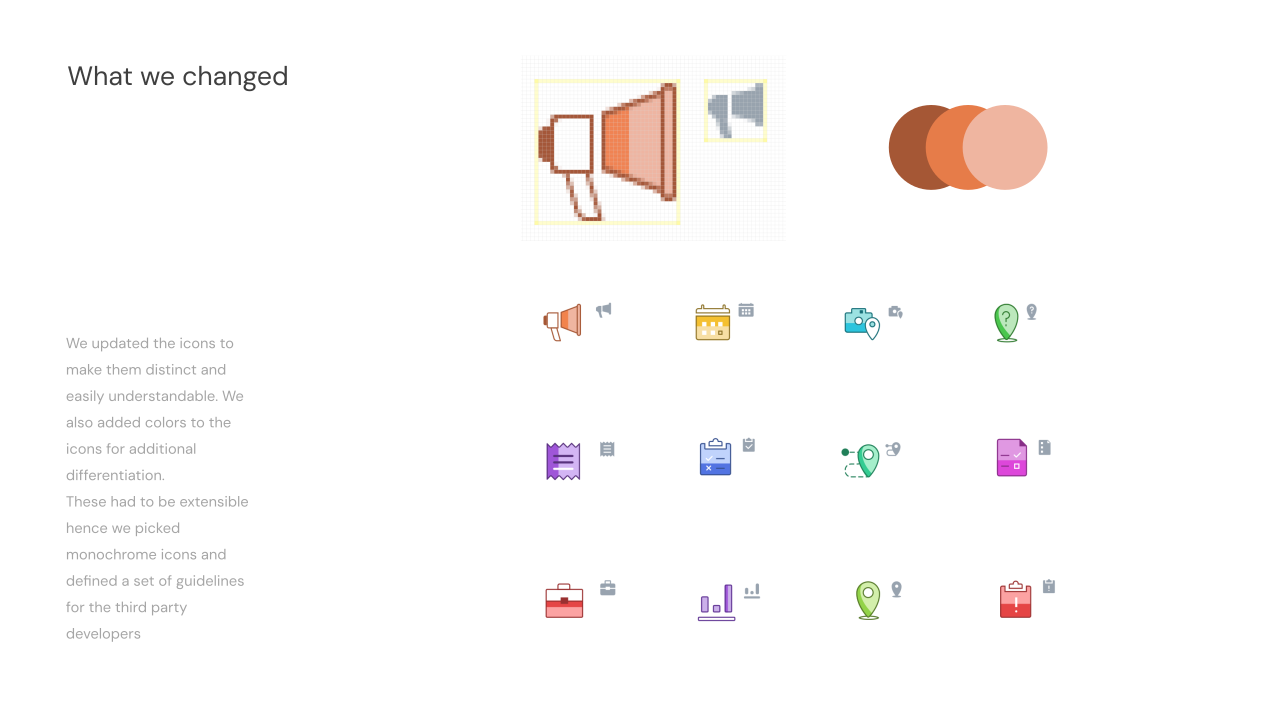
What we changed: redrawn action icons, each in its own color with a monochrome version for third-party developers
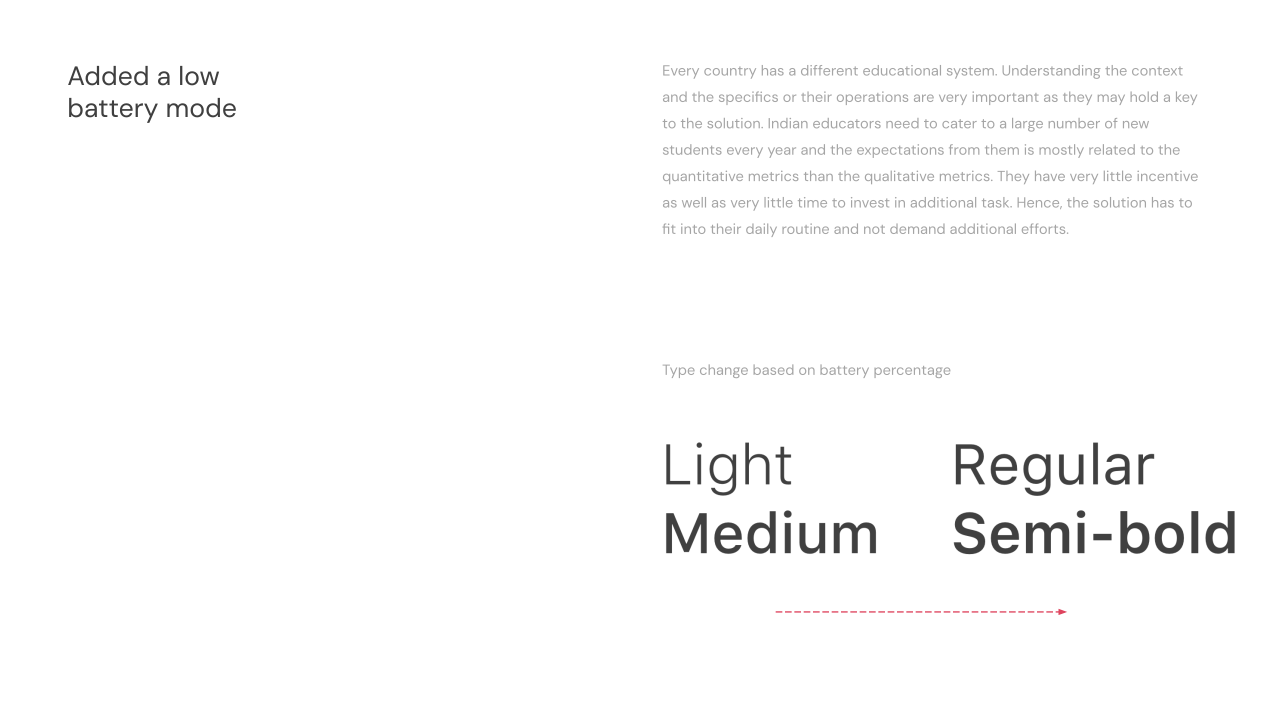
Added a low battery mode: type weights change with battery percentage, Light to Regular and Medium to Semi-bold
Busy is subjective: the sparse chat background beside the denser doodle background that replaced it