This was an assignment brief I received to conceptualize a social e-commerce and field operations management experience. Below is a step-by-step walkthrough of how I designed for it.
How might we help a regional manager coordinate field agents, track distributed store activities, and stay updated in real time?
The Brief
Ajay is a marketing manager at Sweet Tooth company responsible for donut sales across all of South India. He is based out of the Mumbai headquarters, while Sweet Tooth operates multiple retail outlets scattered throughout Hyderabad.
To oversee promotional activity and daily sales across these stores, Ajay directs a field team of five agents in Hyderabad. Each sales agent manages 5–10 stores within a dedicated zone. Agents act as Ajay's eyes and ears on the ground, keeping him informed about store health. When an agent falls sick or takes leave, their assigned stores must be redistributed immediately to keep visits on schedule.
Ajay needs to stay up-to-date on store performance and ensure field agents complete regular in-person audits. The goal was to design an intuitive mobile application that helps Ajay coordinate on-ground operations, monitor his field team, and act quickly on store updates.
Meet Ajay
Ajay is a 26-year-old management graduate who joined Sweet Tooth six months ago. Based in Mumbai, he faces a long daily commute on local trains while remotely orchestrating sales and field activities across Hyderabad with a team of five agents.
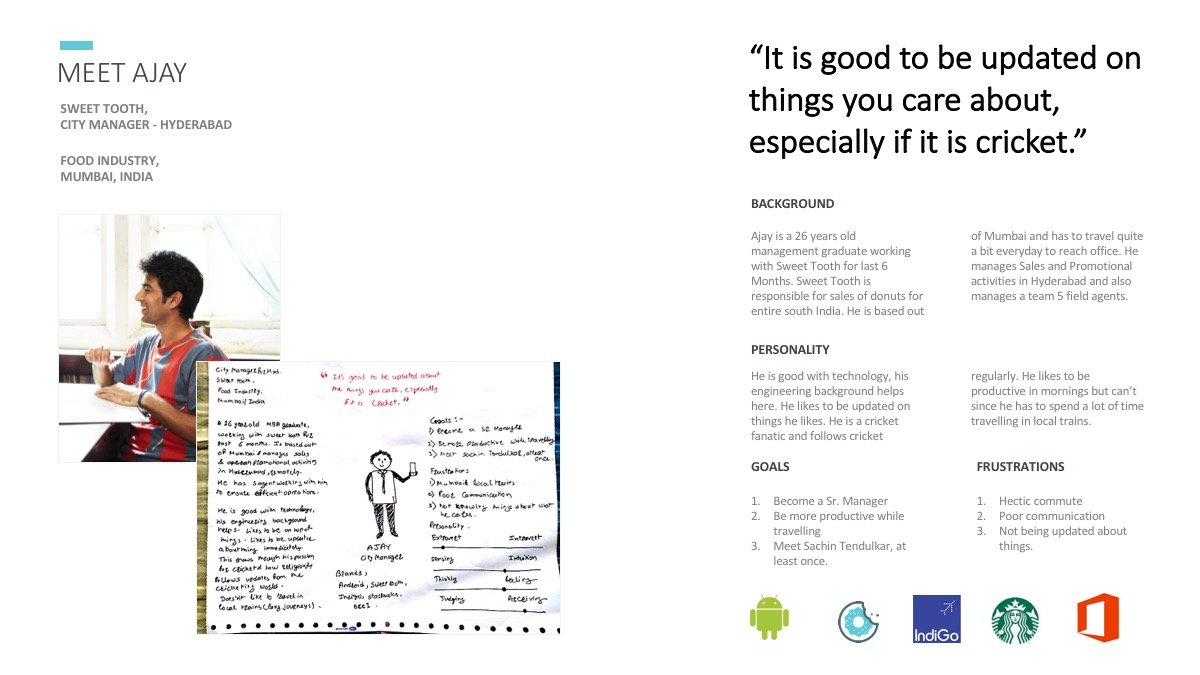
Ajay's constraints defined the product requirements. Commuting on packed suburban trains means one-handed usage, intermittent network connections, and brief windows of attention. He doesn't have time to dig through dense spreadsheets or make multiple phone calls just to check if a store was visited. The app needed to be proactive, glanceable, and actionable in seconds.
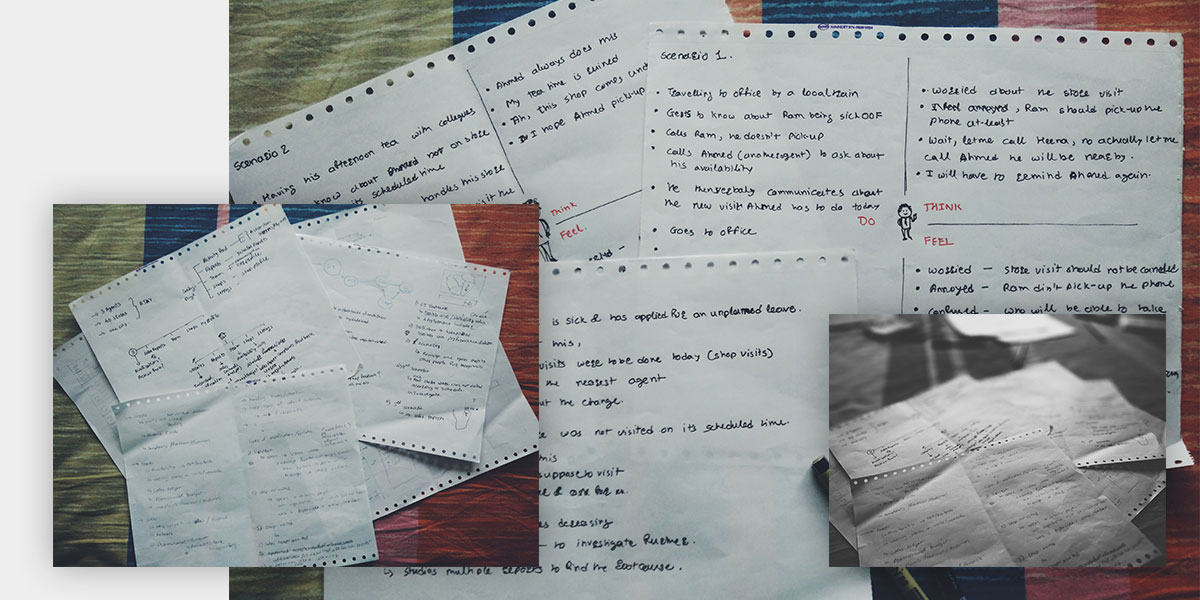
I mapped out real-world daily scenarios: what happens when an agent calls in sick with pending visits, how store issues get escalated, and how notifications can turn into immediate resolutions rather than dead-end alerts.
Think, Sketch, and Structure
Working on paper first allowed rapid iteration on core interaction patterns. I explored whether the primary landing screen should be a map or a chronological feed, and how predictive action cards could live side-by-side with high-level sales metrics.
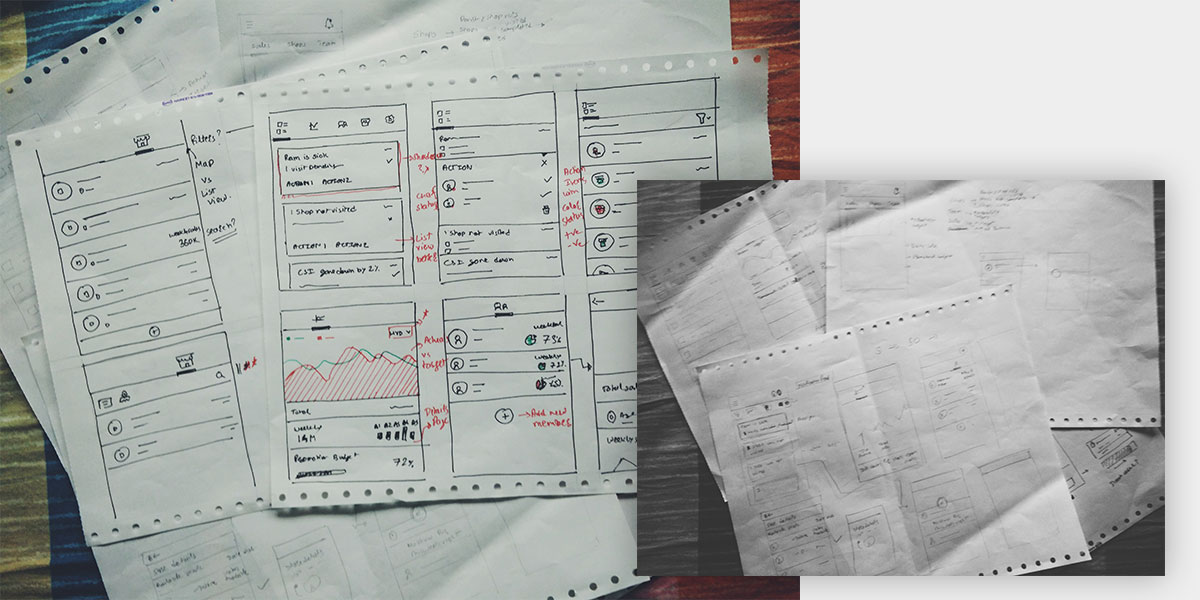
The structure coalesced around four primary pillars: a real-time Activity Feed, Sales Reports, Field Team management, and a Store Directory. Gesture-based navigation (swiping between tabs or swiping list items for contextual quick actions) allowed Ajay to navigate the app effortlessly with one hand.
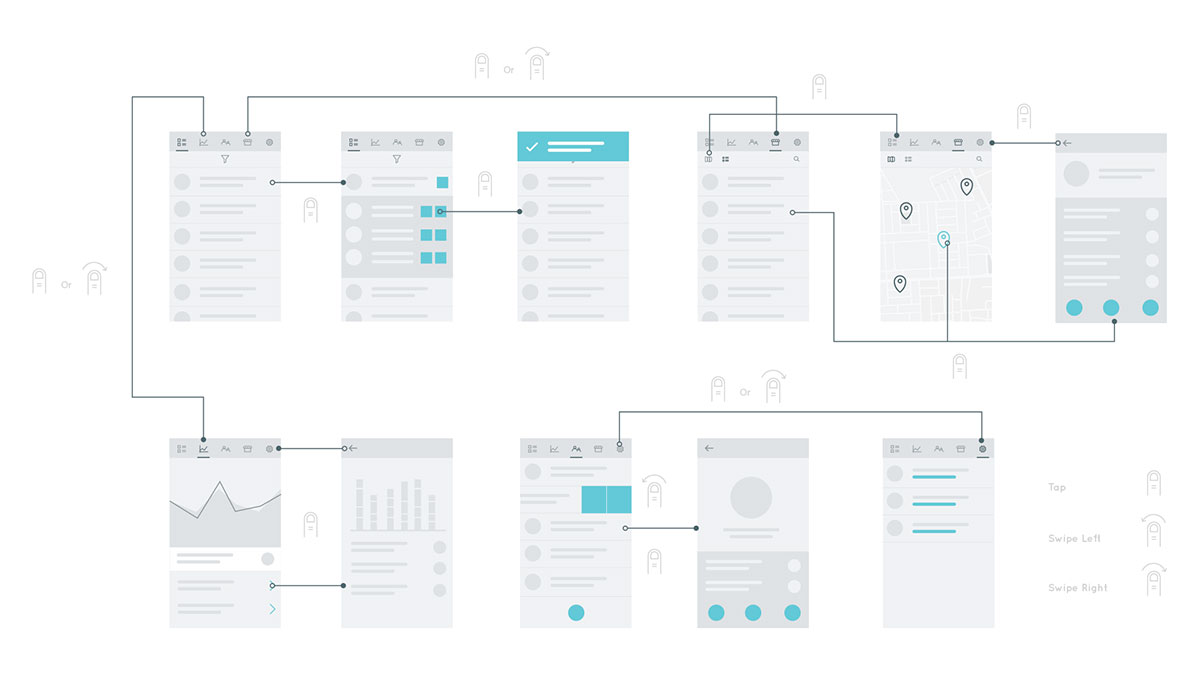
Visual Design
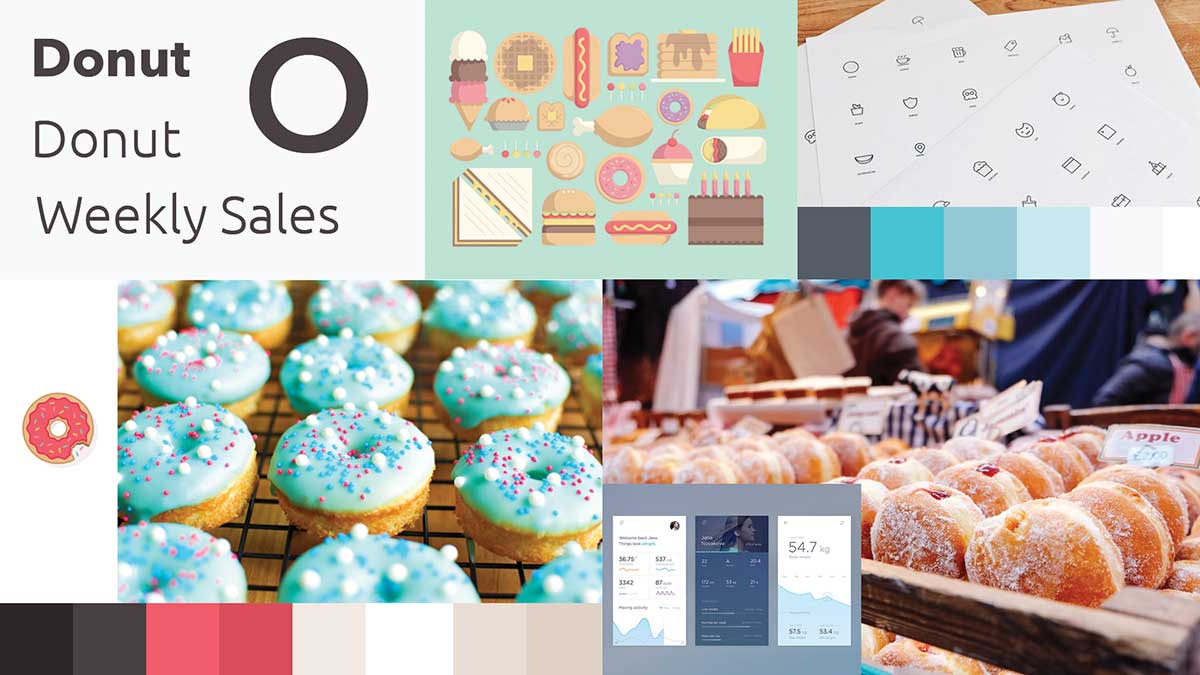
After creating a basic mood board, I chose turquoise blue as the brand's primary accent color. It conveys energy, clarity, and open communication without being aggressive. Paired with warm bakery pastry tones and crisp white cards, it creates a fresh and productive atmosphere.
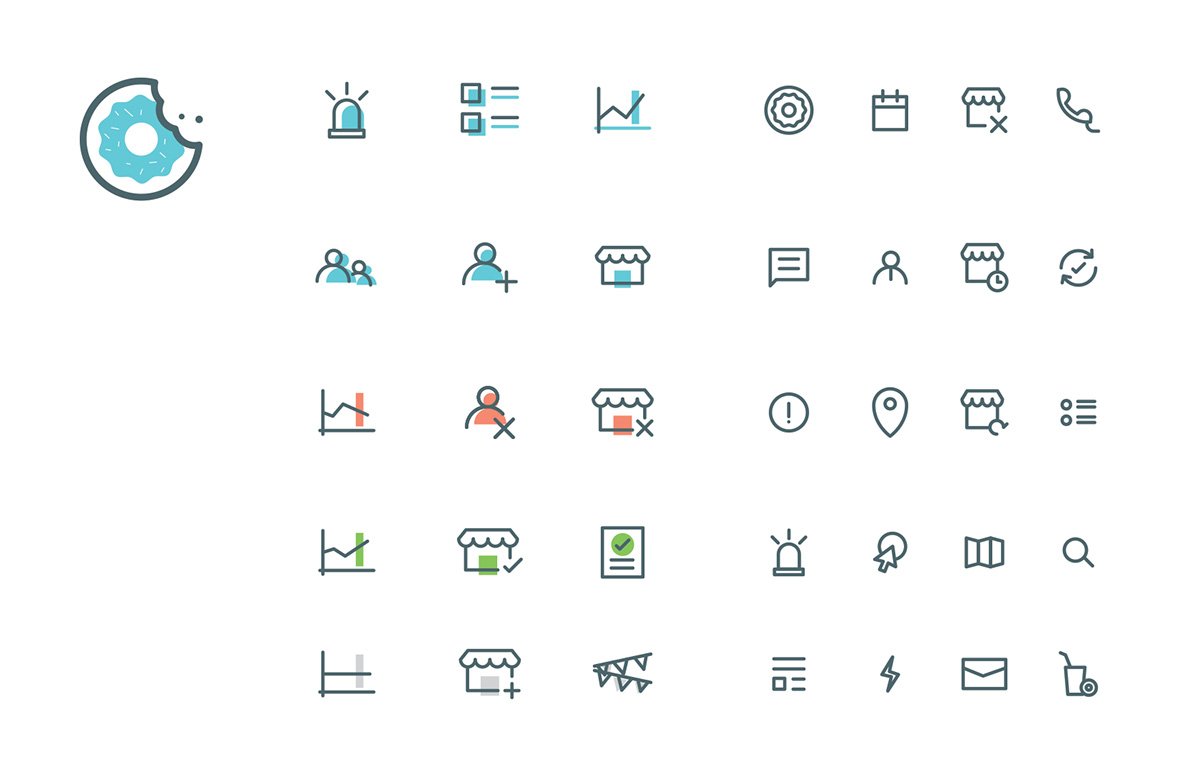
Icons play a crucial role across the entire system. They serve double duty as category indicators (stores, people, reports) and real-time status indicators (urgent, completed, pending, warning). Relying solely on color for status creates accessibility barriers for color-blind users; therefore, each icon incorporates distinct geometric motifs for status, with color used purely as reinforcement.

Interactive Prototype
Managing multiple tasks and distributed people while commuting can get exhausting. Getting predictive and proactive action items helps managers stay on top of work. The Activity Feed surfaces what requires attention right now. Quick filters declutter notifications so urgent issues can be resolved first.
Contextual actions appear on the exact same screen with all necessary context—such as identifying which teammate is nearby to take over a store visit, and offering direct call or message buttons without leaving the flow.
Real Pixels
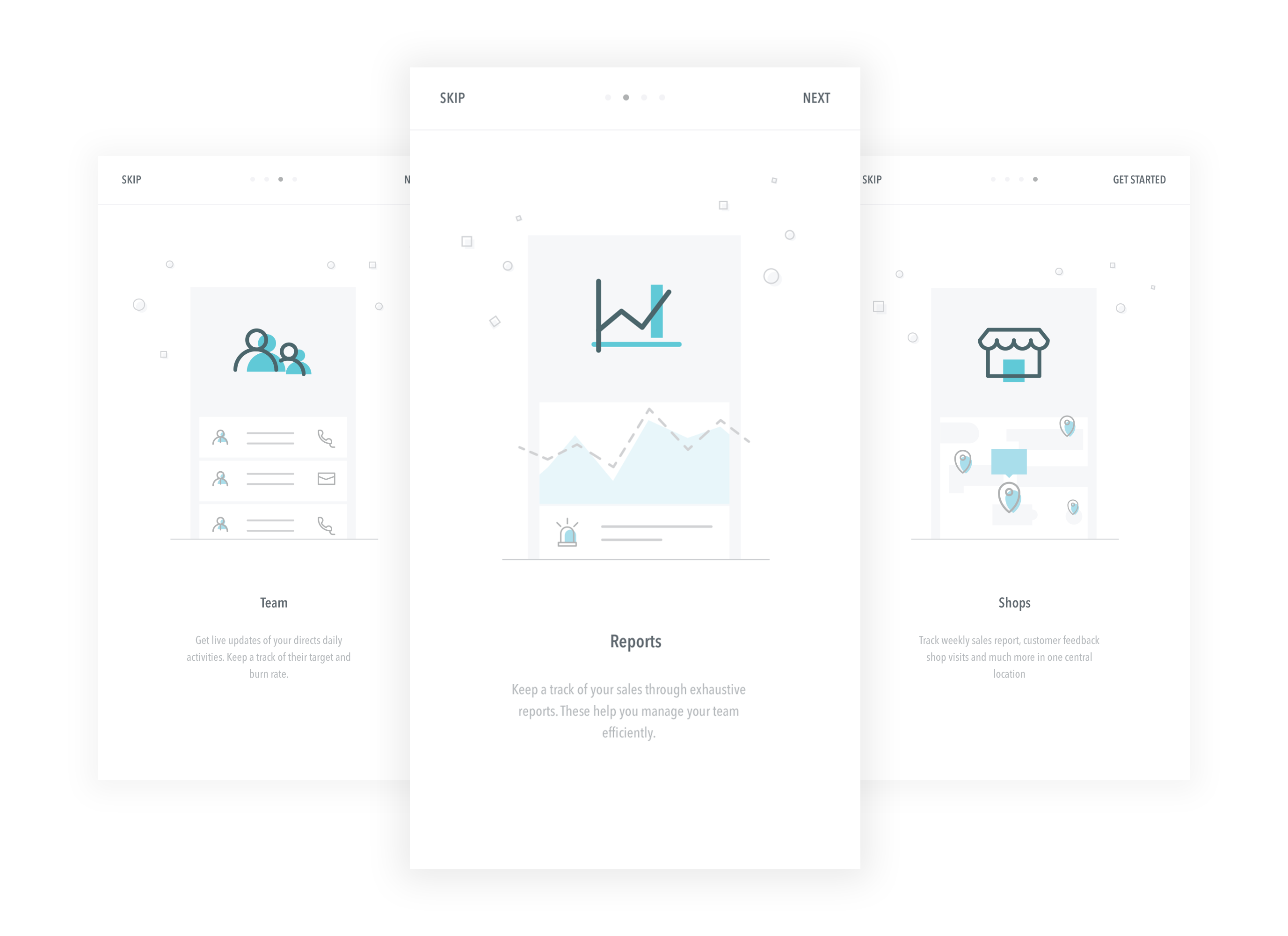
Below is a walkthrough of the core application screens, highlighting the first-run onboarding, primary tabs, and contextual in-feed actions.
First-Run Experience
A lightweight walkthrough introduces new managers to the core sections: tracking the field team, monitoring live activities, reviewing sales reports, and browsing store locations.
Core Application Screens
The screens below walk through the core flows: from prioritized alerts and contextual visit reassignment to revenue analytics, team coordination, and store tracking.
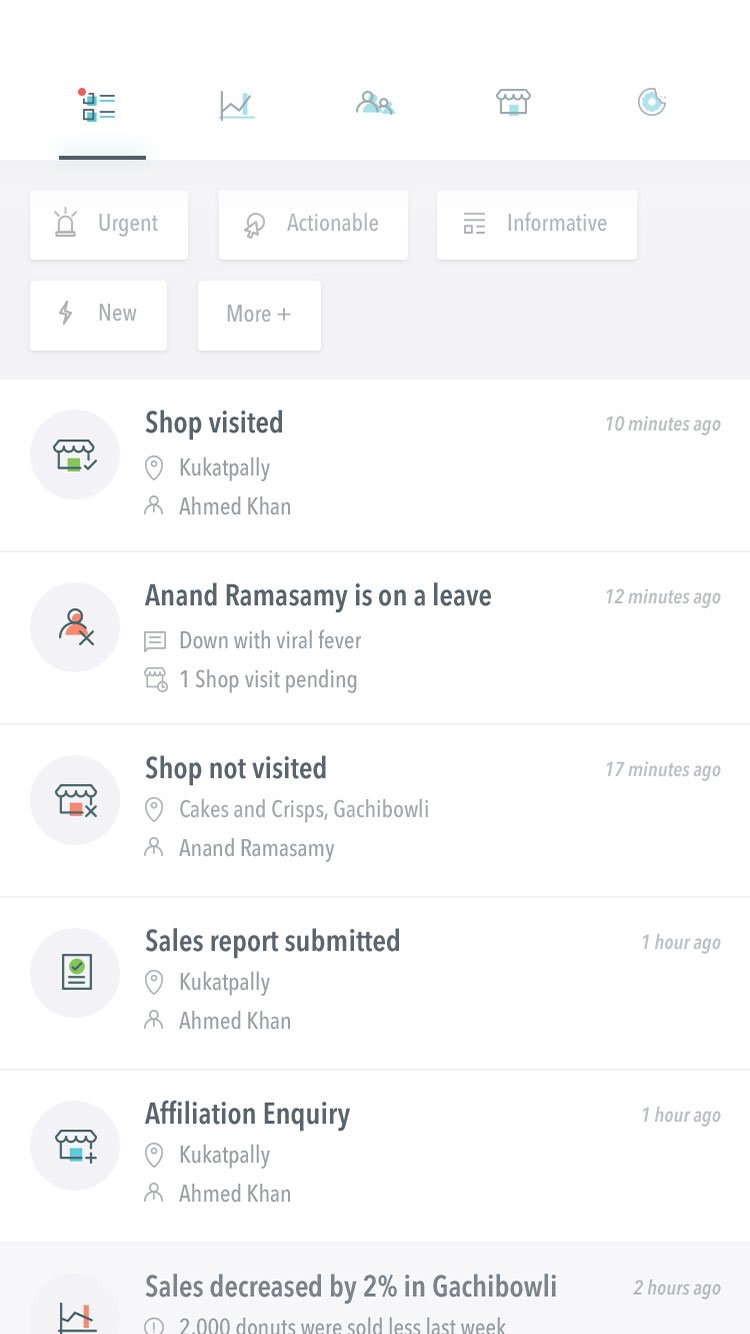
Activity Feed: Prioritized operational updates with urgency filters.
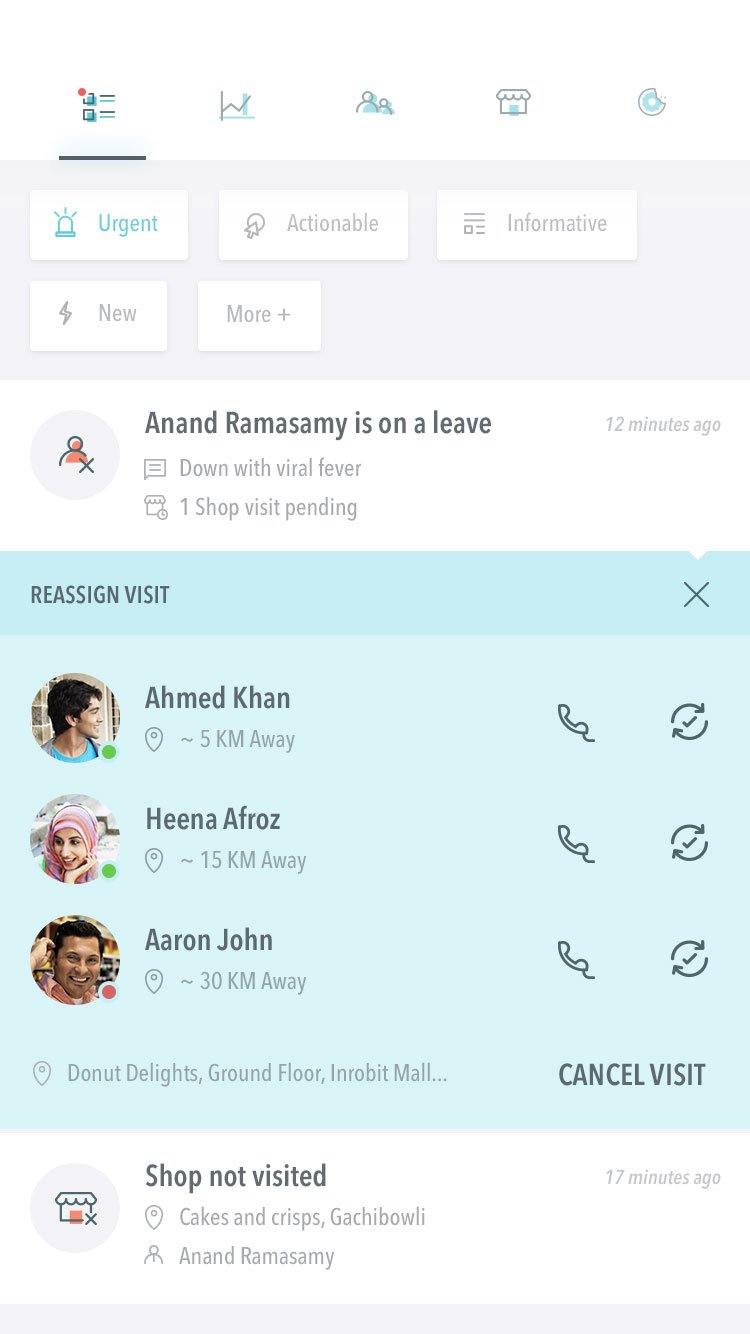
Reassign Visit: Action sheet to reassign store visits to nearby field agents.
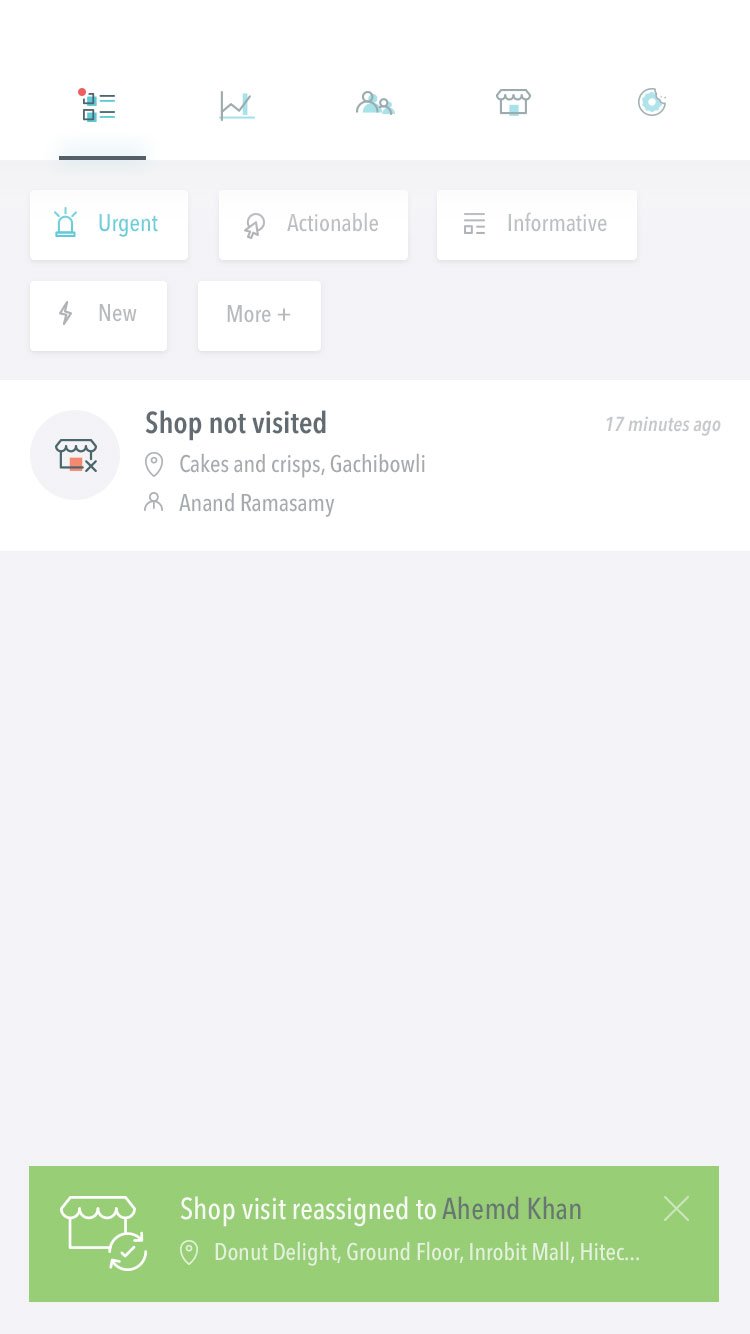
Visit Reassigned: Confirmation toast verifying the visit was reassigned.
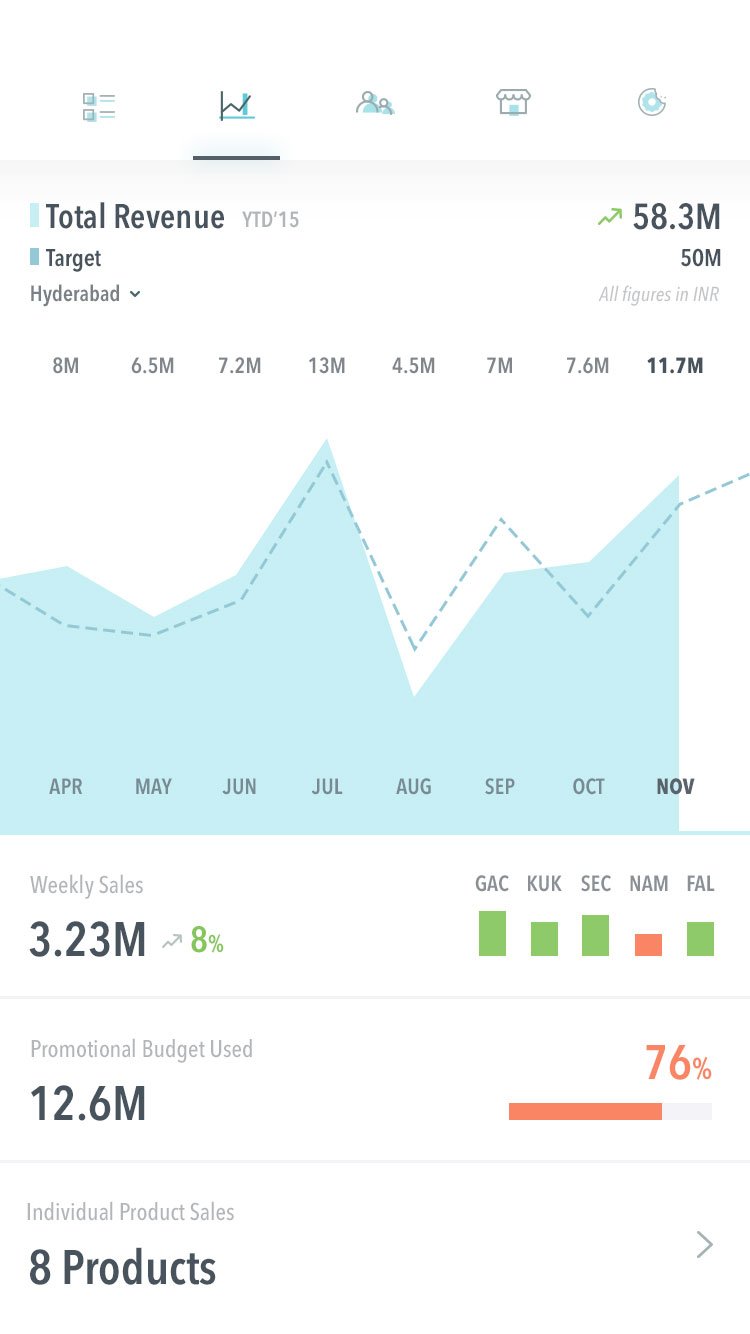
Sales Reports: Revenue performance tracking against targets and budgets.
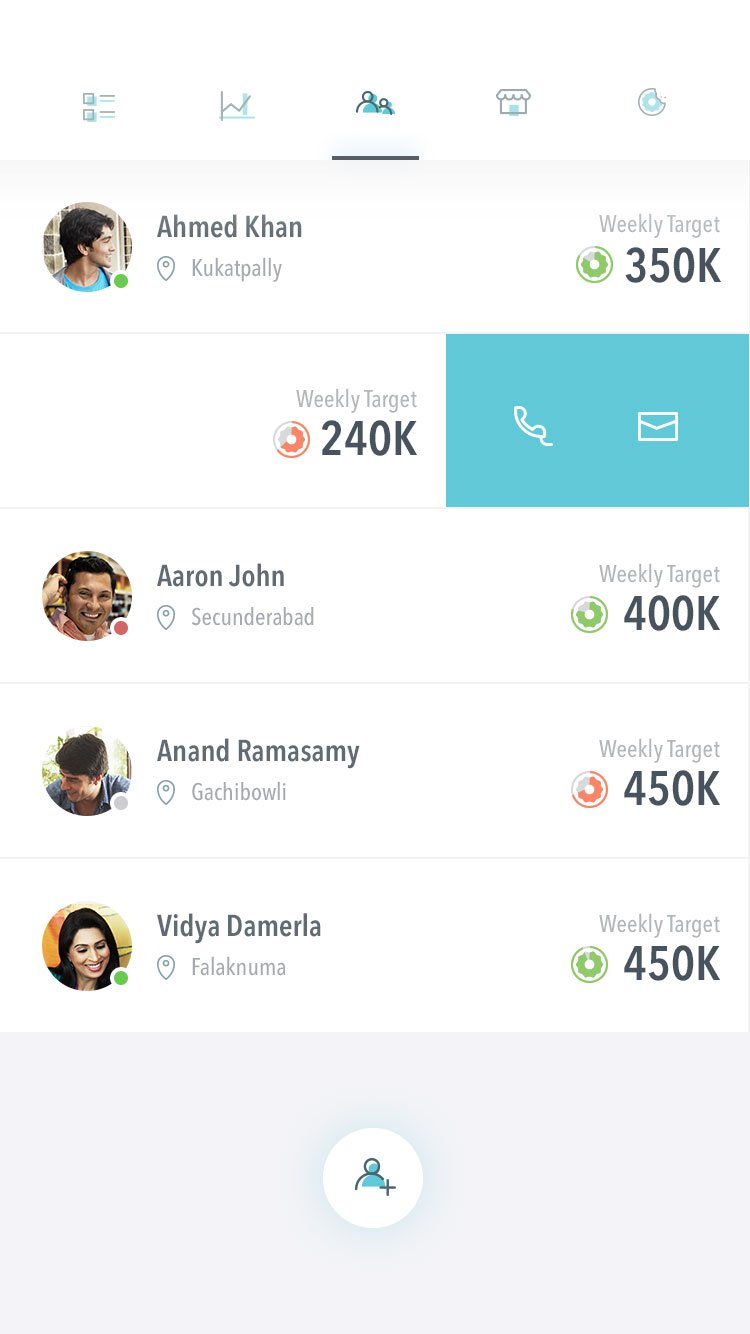
Field Team: Team member directory with weekly targets and quick-call actions.
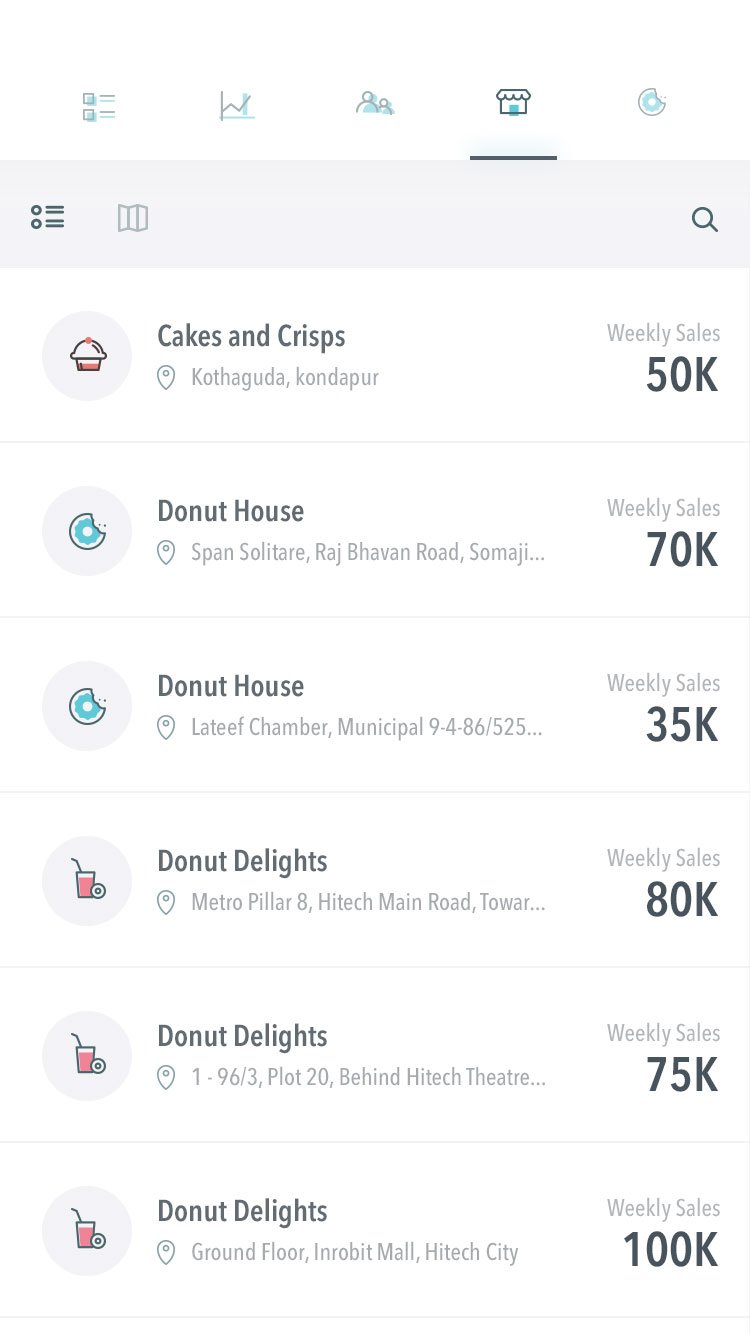
Store Directory: Retail outlet index with weekly sales figures and map toggle.